Overview
This reference architecture shows how to build an ELT pipeline that ingests eCommerce transaction data, loads it to Google BigQuery, transforms it through multiple layers using dbt Core, and reports on top customers through Slack. Apache Airflow® orchestrates the entire flow across three Dags that are chained together using data-aware scheduling.
Architecture
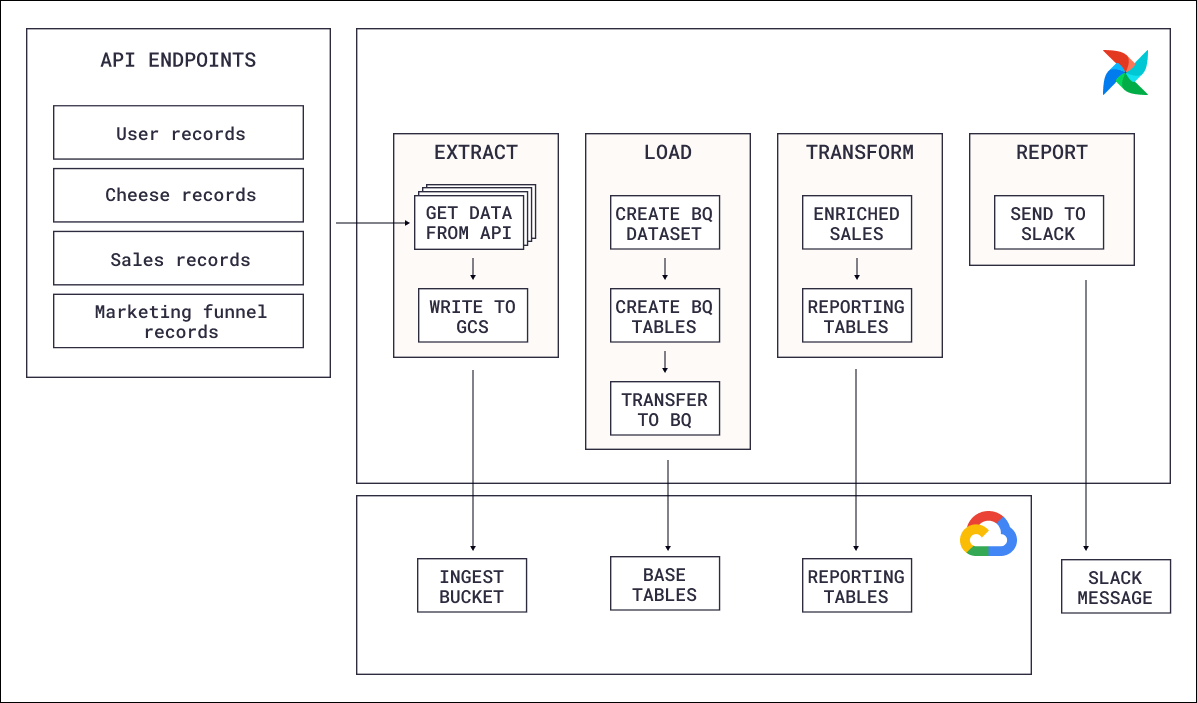
- Extraction: An Airflow Dag calls the eCommerce store’s API and writes the response data (customers, orders, products) to a Google Cloud Storage (GCS) bucket. Each record type is extracted as a separate file, and only new or updated records are fetched on each run.
- Loading: A second Dag picks up the files from GCS and loads them into BigQuery using the BigQuery transfer service. Each record type is loaded into its own raw table.
- Transformation: Once the raw tables are populated, dbt Core runs a series of transformations orchestrated with Astronomer Cosmos. The models follow a staging, intermediate, and mart layer pattern to produce clean, aggregated reporting tables.
- Reporting: After transformations complete, a final task queries the mart tables for top customers and sends a summary to a Slack channel.
Airflow features
- Astronomer Cosmos: dbt Core models are rendered as individual Airflow tasks using Cosmos, giving operators full visibility into each dbt model’s execution status directly in the Airflow UI rather than treating the entire dbt run as a single opaque task.
- Dynamic task mapping: During extraction, one mapped task is created per record type (customers, orders, products). The number of files and their names are determined at runtime, so the Dag adapts automatically when new record types are added.
- Data-aware scheduling: The extraction Dag runs on a time-based schedule, but the loading and transformation Dags use assets to trigger only when the data they depend on has been updated. This eliminates idle polling and ensures each phase runs exactly when its input data is ready.
- Task groups: The loading step groups related tasks (one per record type) into a task group, keeping the Dag graph readable even as the number of record types grows.
- Airflow retries: All tasks that interact with external services (the eCommerce API, GCS, BigQuery) are configured to automatically retry after an adjustable delay to handle transient failures.
- Custom XCom backend: Extracted records are passed between the extraction and loading Dags through XCom. Because the payloads can be large, XComs are stored in GCS using an Object Storage custom XCom backend instead of the Airflow metadata database.
- Modularization: SQL queries used in
BigQueryInsertJobOperatortasks are stored in theincludefolder and imported into the Dag file. This separates orchestration logic from transformation logic and makes individual queries reusable across Dags.
Astro features
This architecture includes a dbt Core project alongside the Airflow Dags. Astro customers have two options for deploying dbt projects to Astro:- Include dbt in the Astro project: Add a
/dbtfolder to the Astro project and deploy everything together withastro deploy. This is the quickest option for small teams where dbt and Airflow code live in the same repository. - dbt Deploys: Deploy dbt code independently from the Astro project image using
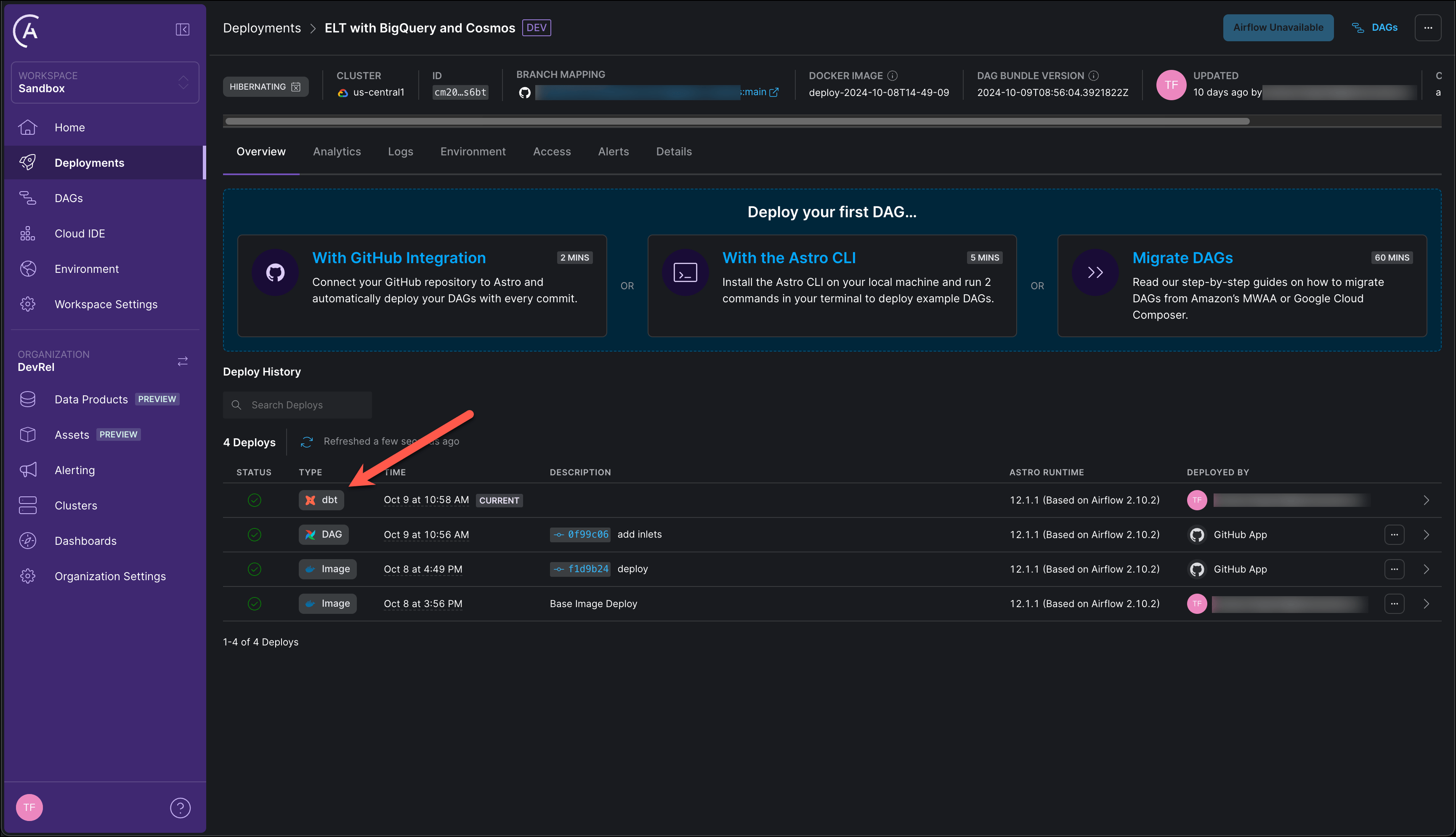
astro dbt deploy. This decouples dbt iterations from Airflow deployments, which is useful when dbt code lives in a separate repository or when multiple teams need to update dbt models without redeploying the full Astro project.