

Overview
This reference architecture shows how to build an ELT pipeline that ingests eCommerce transaction data, loads it to Snowflake, transforms it through multiple SQL layers, runs data quality checks at each stage, and displays the results in a Streamlit dashboard. Apache Airflow® orchestrates the entire flow across multiple Dags that are chained together using data-aware scheduling. A demo of the architecture is shown in the Implementing reliable ETL and ELT pipelines with Airflow and Snowflake webinar.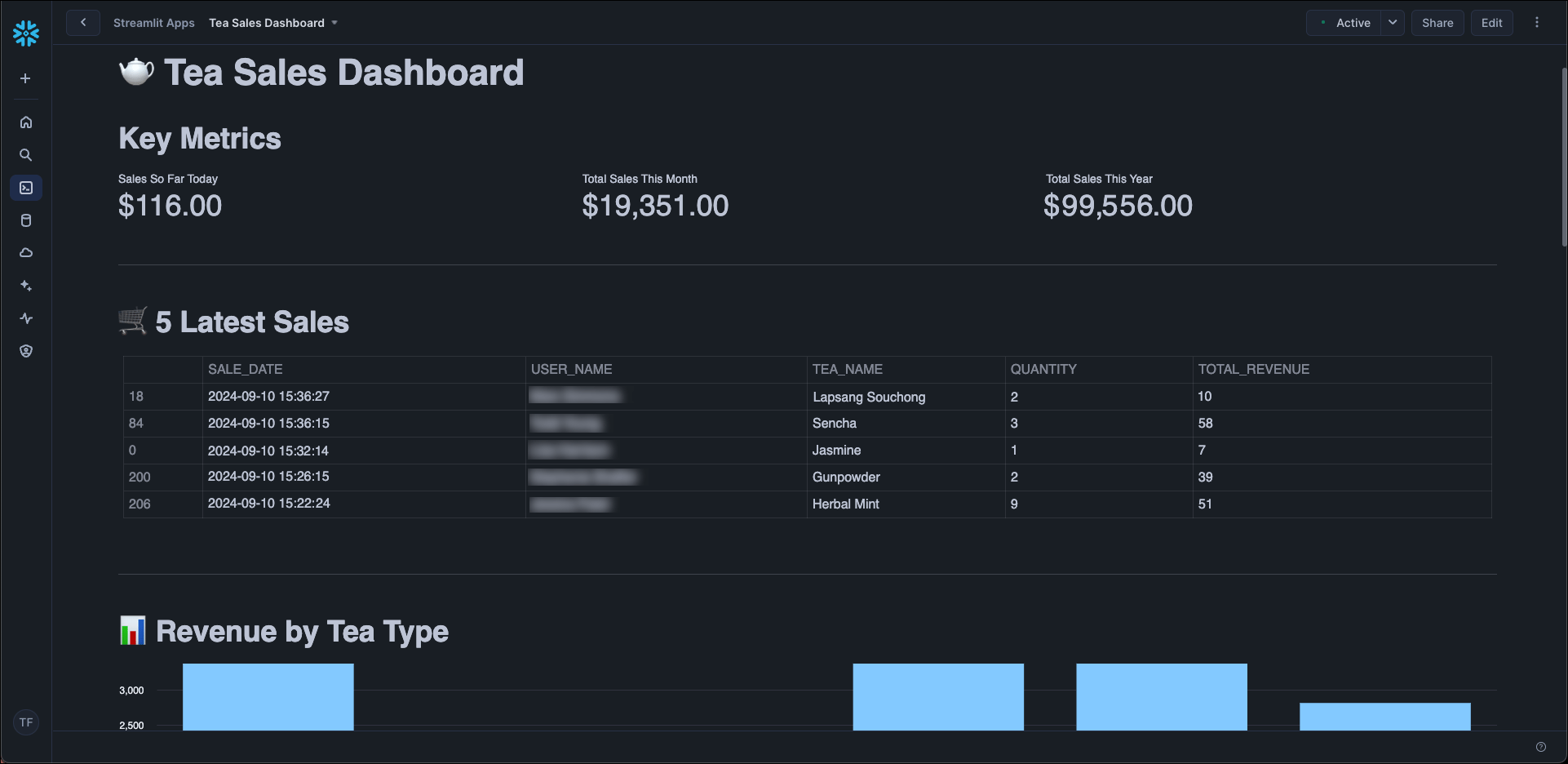
Architecture
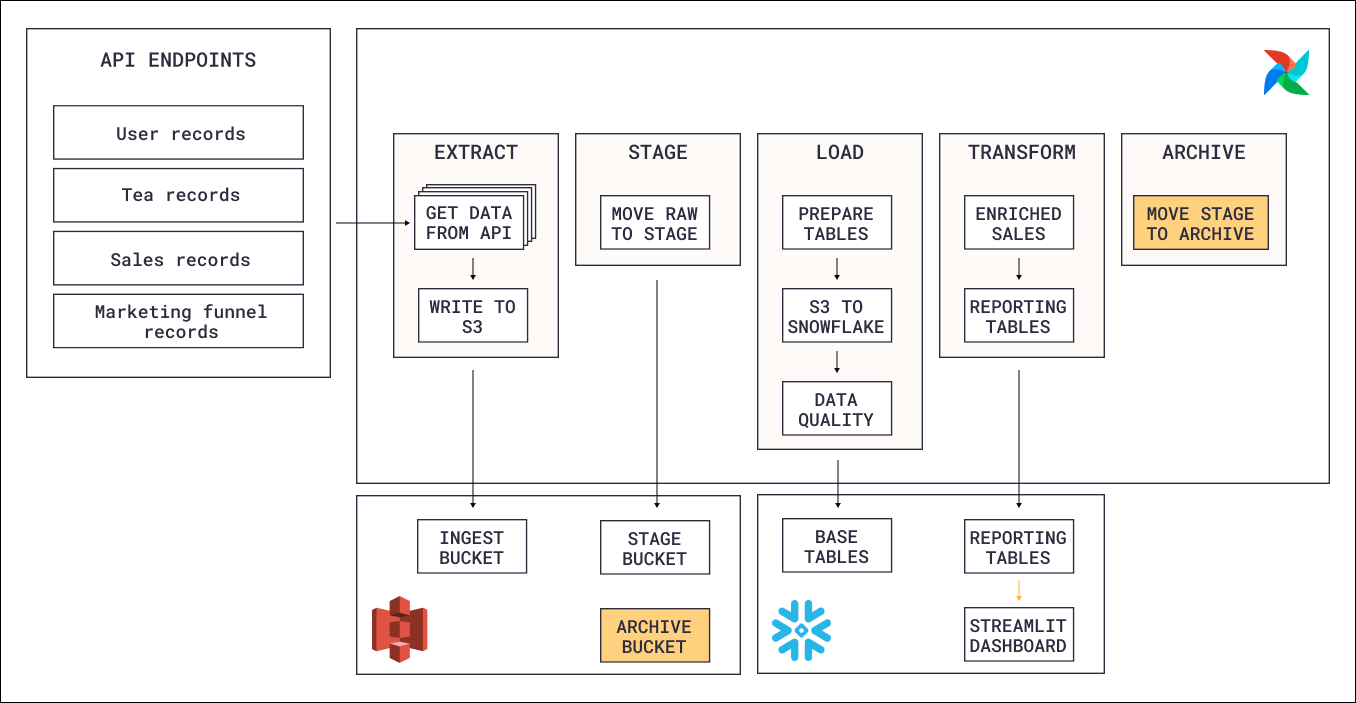
- Extraction: An Airflow Dag calls the eCommerce store’s API and writes the response data (customers, orders, products) to an object storage bucket. Each record type is extracted as a separate file, and only new or updated records are fetched on each run.
- Loading: A second Dag picks up the files from object storage and loads them into Snowflake raw tables. Each record type is loaded into its own table.
- Transformation: Once the raw tables are populated, SQL queries transform the data through multiple layers (base tables, intermediate joins, reporting views). Data quality checks run at the base table level to catch issues before they propagate downstream.
- Dashboard: The transformed data is displayed in a Streamlit dashboard that visualizes sales metrics and trends.
Airflow features
- Object Storage: The Airflow Object Storage API simplifies moving files between object storage locations (ingest, stage, archive) without writing provider-specific code. Files are streamed between paths, which keeps memory usage low even for large extracts.
- Data-aware scheduling: The extraction Dag runs on a time-based schedule, but the loading, transformation, and housekeeping Dags use assets to trigger only when the data they depend on has been updated. This chains the Dags together without hard-coded dependencies and ensures each phase runs exactly when its input data is ready.
- Data quality checks: Data quality checks run on the base Snowflake tables using the
SQLColumnCheckOperator(validating column-level constraints like non-null and value ranges) and theSQLTableCheckOperator(validating table-level conditions like row counts). Some checks are blocking and stop the pipeline on failure, while others are non-blocking and only send a notification. - Notifications: Non-blocking data quality check failures trigger an automatic Slack notification to the data quality team using an
on_failure_callbackat the task group level, so the team is informed without halting the entire pipeline. - Airflow retries: All tasks that interact with external services (the eCommerce API, object storage, Snowflake) are configured to automatically retry after an adjustable delay to handle transient failures.
- Dynamic task mapping: During extraction, one mapped task is created per record type. The number of files is determined at runtime, so the Dag adapts automatically when new record types are added.
- Custom XCom backend: Extracted records are passed between the extraction and loading Dags through XCom. Because the payloads can be large, XComs are stored in S3 using an Object Storage custom XCom backend instead of the Airflow metadata database.
- Modularization: SQL queries are stored in the
includefolder and executed bySQLExecuteQueryOperatortasks in the Dags. Python helper functions and data quality check definitions are modularized as well, separating orchestration logic from business logic and making individual components reusable across Dags.