Build Your Data Quality Deck
11 min read |
A long time ago, I played Magic: The Gathering. I built decks, traded at school, and spent weekends at local tournaments. At some point I sold my entire collection. I don't even remember what I bought with the money. But I still remember some of the cards I let go of, and I regret it, knowing how much they would be worth today and how much fun I had playing with them.
What I don't regret is the things deck-building taught me. Every card had a purpose. If you build your deck right, you have the right card for every situation. If you build it wrong, you'll find out at exactly the worst moment, and by then it's too late.
Recently, while writing data quality checks for Airflow, I kept coming back to that feeling. Data quality is fundamental to trustworthy analytics and AI, yet in my time as a data engineer, we spent way too little time on data quality. The good news: Airflow offers SQL check operators that you can simply add to your pipelines!
There are six operators in the common SQL provider. Each one covers a specific kind of failure. Pick the wrong one and you're either over-engineering something simple, or leaving a gap that a simpler card would have closed.
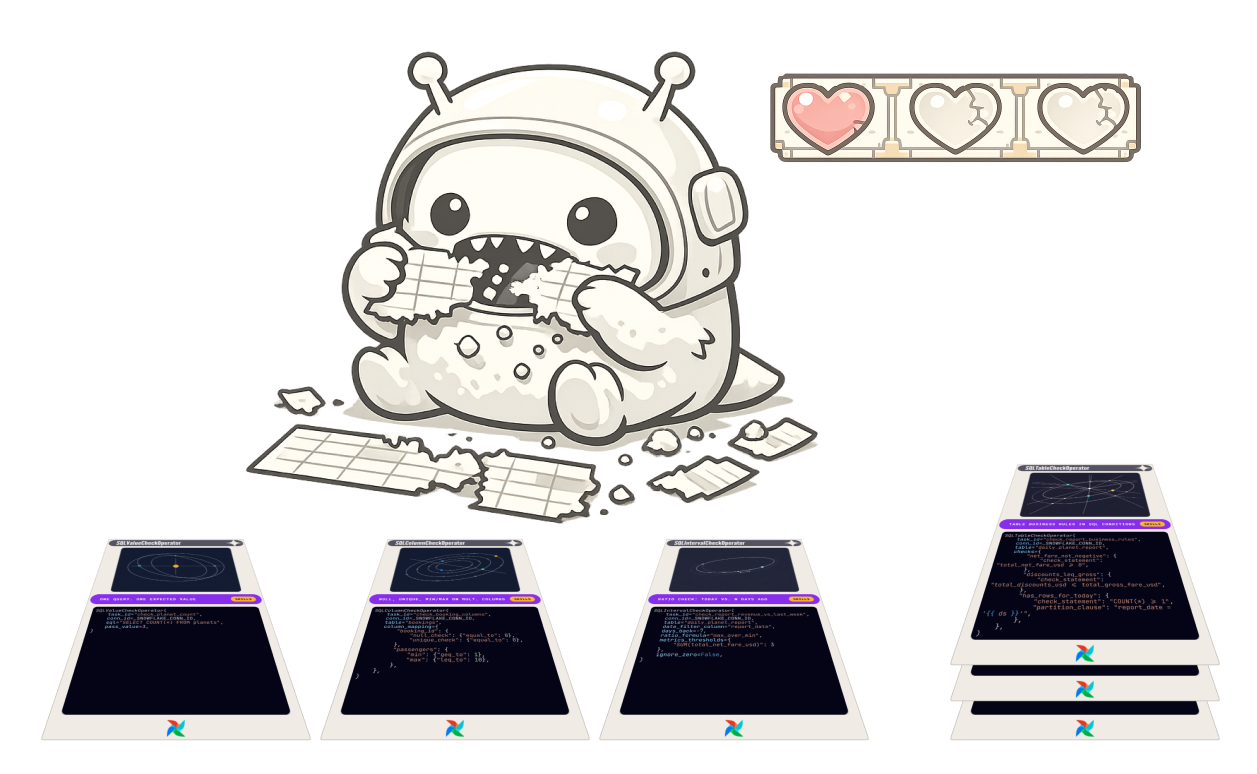
This is a guide to building the right deck for your Dag.
The code examples throughout this post come from an Airflow demo project for AstroTrips, a fictional interplanetary travel company. Routes go to the Moon, Europa, and beyond. The schema involves four tables: planets, bookings, payments, and a daily_planet_report. The details are not relevant to understand how the operators function.
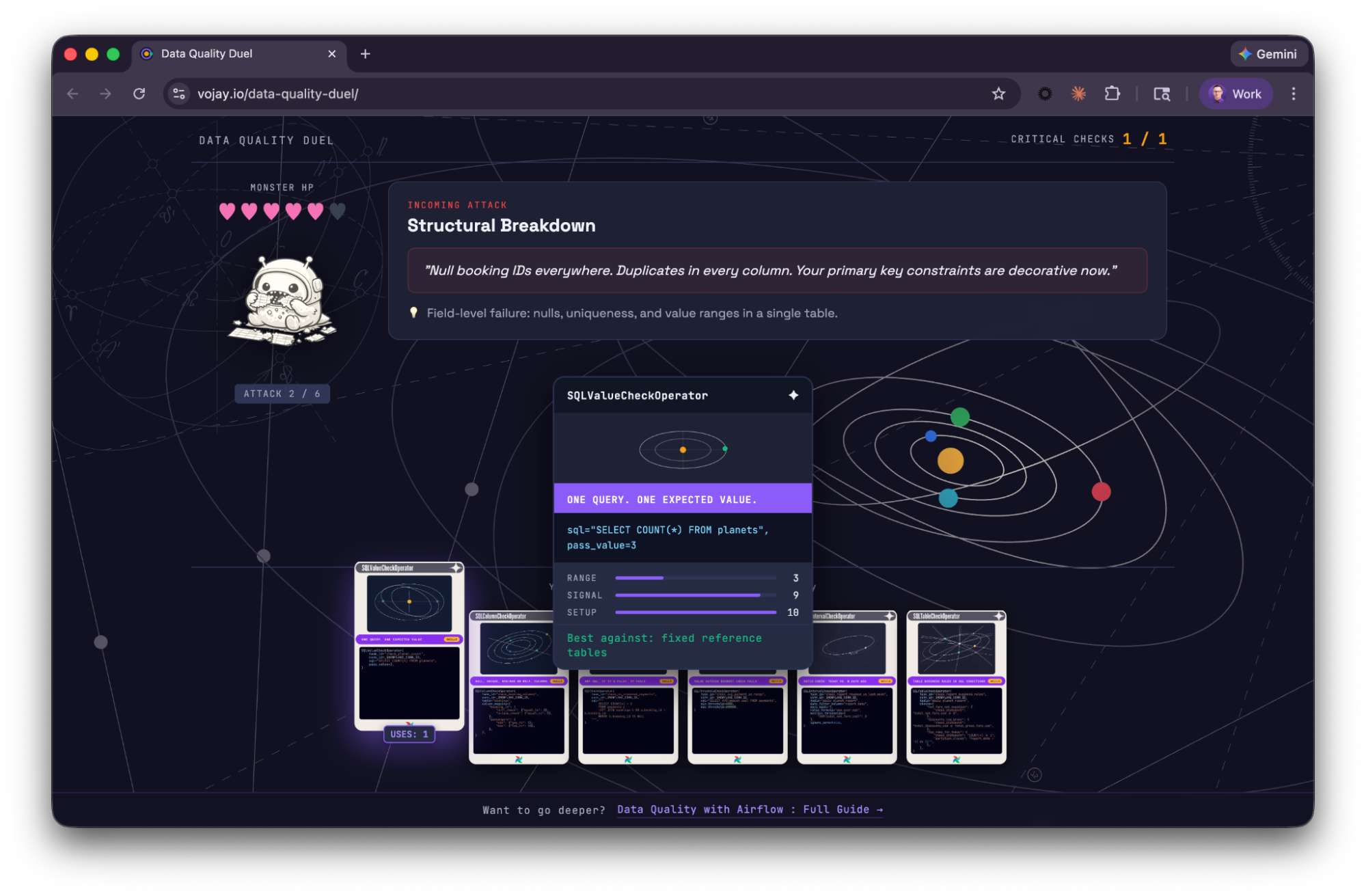
Plot twist: this is not only a metaphor. You can actually play Data Quality Duel in your browser to learn about the SQL check operators!
👉 Play now (but promise to come back to finish reading)!
What goes wrong with data
Before we get to the cards, here's what we're actually playing against. Data quality failures tend to fall into a few predictable categories:
- Volume anomalies: row counts that spike, drop, or disappear entirely without explanation.
- Schema drift: columns changing type or disappearing between runs, silently.
- Completeness issues: null values in fields that should never be null.
- Duplicate records: rows that violate uniqueness constraints you thought you could count on.
- Business rule violations: negative amounts, orphaned records, dates that couldn't exist.
None of these produce a red task by default. The pipeline runs. Everything is green. The data moves downstream, and the bill of wrong decisions or production systems running with corrupt data comes later.
There are two places you can defend against this.
- Dag-level checks: The first is inside your Dags: checks that run as part of the pipeline, that can block propagation when something goes wrong.
- Platform-level checks: The second is at the platform level: monitors that run independently of your Dag execution, watching your warehouse whether or not Airflow fired.
You often need both.
The six operators in the rest of this post are your Dag-level cards. We'll come back to the platform level at the end.
The deck
If you ever played a trading card game, you know the thrill of buying a so-called booster pack: a sealed package containing a randomized assortment of collectible game cards used to expand a player's collection or deck.

The booster pack for our data quality operators is the common SQL provider package. You can install it by adding it to your Airflow environment, e.g., by adding it to your requirements.txt:
apache-airflow-providers-common-sqlTo add the cards to your deck, or Dag (pun intended), you can import them:
from airflow.providers.common.sql.operators.sql import (
    SQLCheckOperator,
    SQLColumnCheckOperator,
    SQLIntervalCheckOperator,
    SQLTableCheckOperator,
    SQLThresholdCheckOperator,
    SQLValueCheckOperator,
)
Six data quality operators. Let's go through each one.
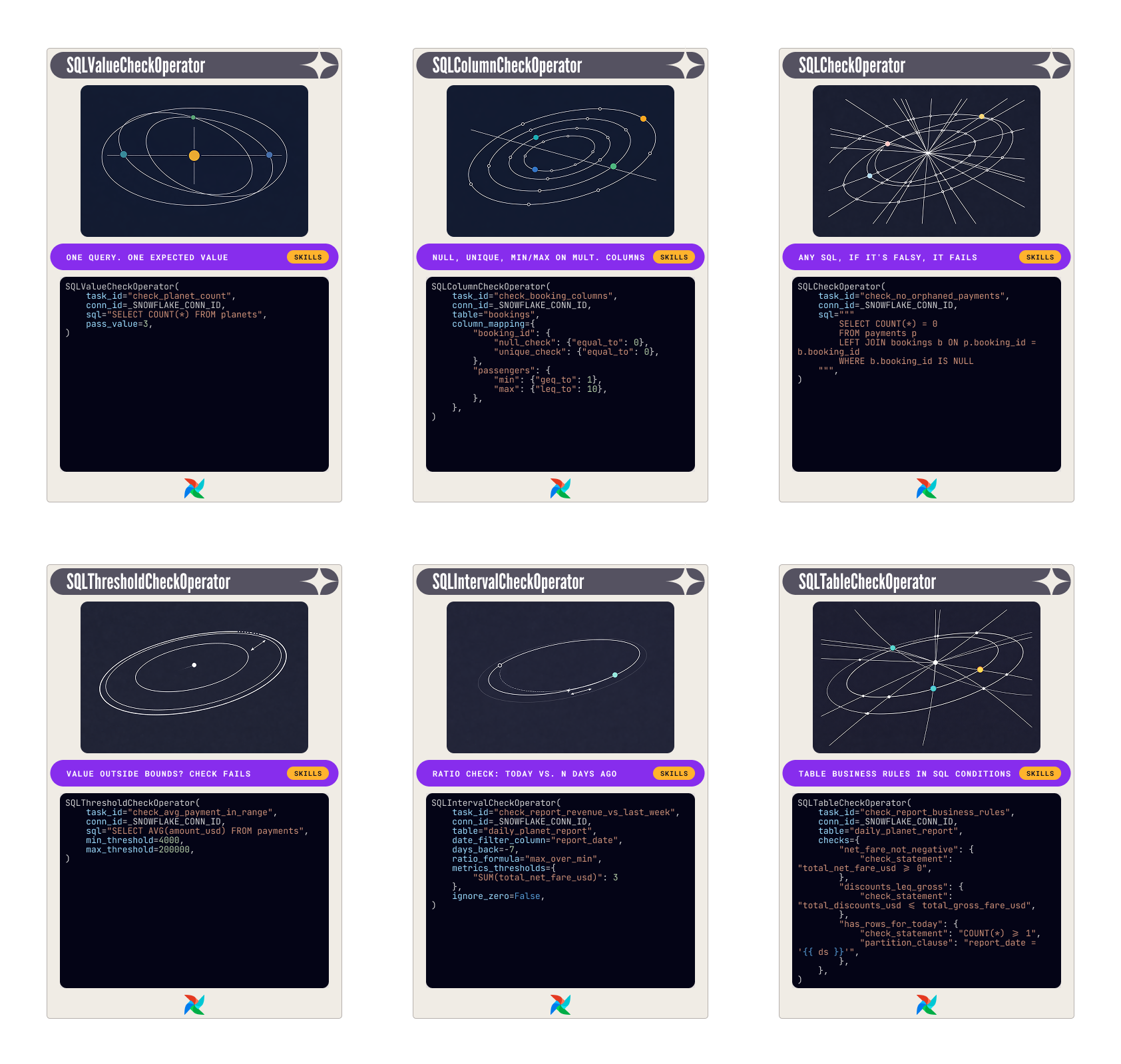
SQLValueCheckOperator: one query, one expected answer
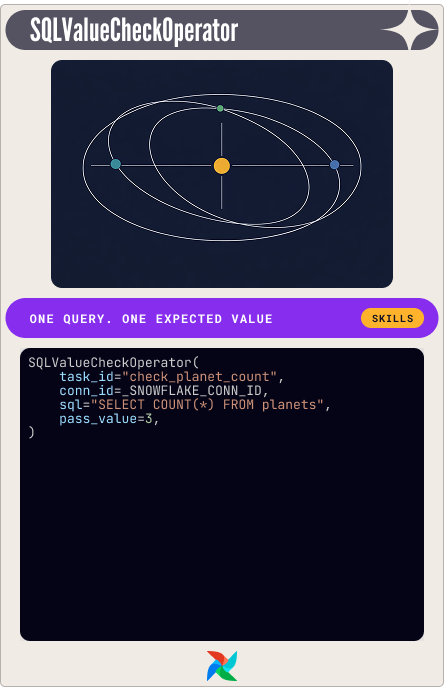
The simplest card in the deck. One SQL query, one expected value. If they don't match, the check fails.
The planets table in this scenario has exactly three rows. Every fare calculation depends on that. If someone inserts a test row and doesn't clean it up, the logic breaks in ways that are hard to trace. One check catches it:
SQLValueCheckOperator(
    task_id="check_planet_count",
    conn_id=_SNOWFLAKE_CONN_ID,
    sql="SELECT COUNT(*) FROM planets",
    pass_value=3,
)
SQLColumnCheckOperator: field-level constraints, one task
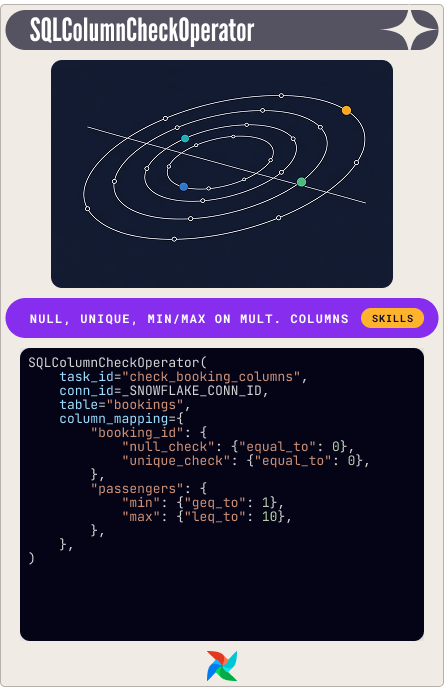
One task, one table, as many column-level checks as you need. You give it a column_mapping dictionary and it runs each check independently.
The partition_clause is the hidden useful feature: an additional WHERE filter that scopes every check in the mapping to a subset of the data, without splitting them into separate operators.
The demo check on the bookings table:
SQLColumnCheckOperator(
    task_id="check_booking_columns",
    conn_id=_SNOWFLAKE_CONN_ID,
    table="bookings",
    column_mapping={
        "booking_id": {
            "null_check": {"equal_to": 0},
            "unique_check": {"equal_to": 0},
        },
        "passengers": {
            "min": {"geq_to": 1},
            "max": {"leq_to": 10},
        },
    },
)
When something fails, the error message tells you which check and which column. We will see later how to use this in a notification. This is your default card to play for structural column validation.
SQLCheckOperator: any SQL, any assertion
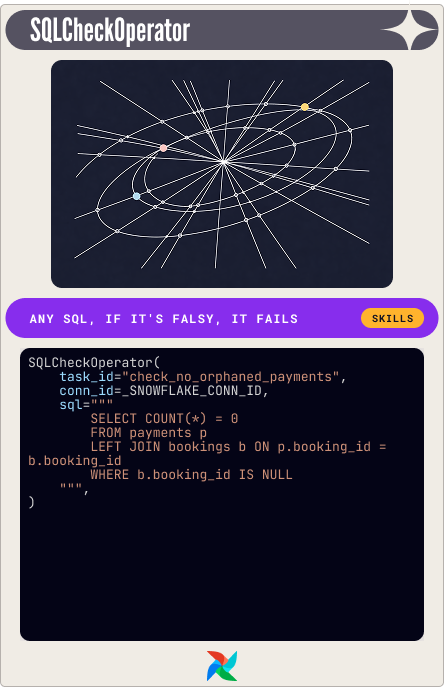
The most flexible card. Runs any SQL query and evaluates the returned row. If any value evaluates to falsy in Python (zero, None, empty string), the check fails. Your escape card for cross-table joins, subqueries, complex conditional logic.
The demo check for orphaned payments:
SQLCheckOperator(
    task_id="check_no_orphaned_payments",
    conn_id=_SNOWFLAKE_CONN_ID,
    sql="""
        SELECT COUNT(*) = 0
        FROM payments p
        LEFT JOIN bookings b ON p.booking_id = b.booking_id
        WHERE b.booking_id IS NULL
    """,
)
The query returns a boolean. Orphaned payments found: False. Check fails. That's the whole mechanism.
SQLThresholdCheckOperator: is this value plausible?
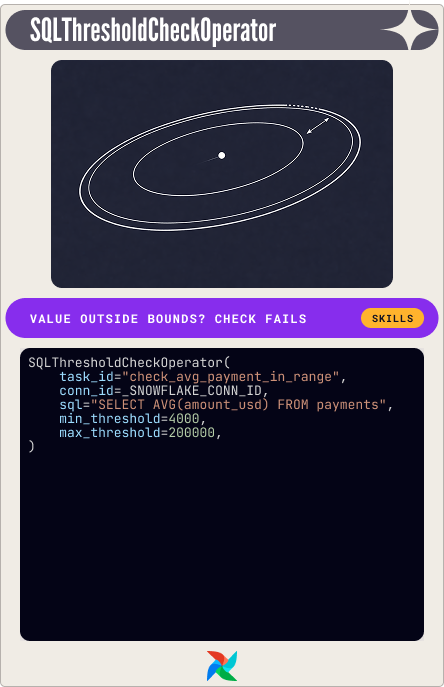
Runs a SQL query and compares the result against a min and max threshold. Thresholds can be literal numbers or SQL expressions.
Booking payments have a plausible range: a single passenger on the shortest route at the low end, multiple passengers on the longest route at the high end. Outside that, something is wrong:
SQLThresholdCheckOperator(
    task_id="check_avg_payment_in_range",
    conn_id=_SNOWFLAKE_CONN_ID,
    sql="SELECT AVG(amount_usd) FROM payments",
    min_threshold=4000,
    max_threshold=200000,
)
SQLIntervalCheckOperator: what changed since last week?
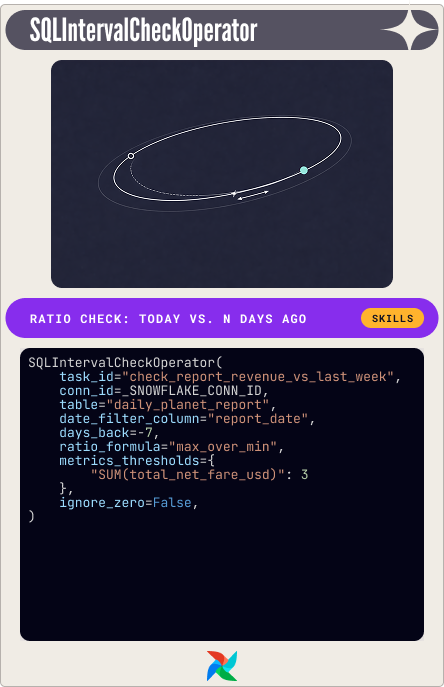
This one looks backward. It compares a metric from today against the same metric from N days ago. The deviation is expressed as a ratio, and the check fails when that ratio exceeds your threshold.
Two formula options: max_over_min is direction-agnostic: a 3x increase and a 3x decrease both produce ratio 3.0. relative_diff is directional. Set metrics_thresholds to the maximum ratio you'll accept.
The demo check on daily revenue:
SQLIntervalCheckOperator(
    task_id="check_report_revenue_vs_last_week",
    conn_id=_SNOWFLAKE_CONN_ID,
    table="daily_planet_report",
    date_filter_column="report_date",
    days_back=-7,
    ratio_formula="max_over_min",
    metrics_thresholds={"SUM(total_net_fare_usd)": 3},
    ignore_zero=False,
)
One gotcha that bit me on a real run: ignore_zero. The default is True, which means if the historical comparison returns zero because there's no data for that date, the operator silently passes. In that run: current revenue was 1,017,400, past was 2,912,200, ratio was approximately 2.86. A threshold of 3 passed it. Fine. But with no past data at all, ignore_zero=True would wave through a comparison against nothing.
Set it to False. Missing history is a failure, not a free pass. If you're missing historical data, backfill it first.
SQLTableCheckOperator: for table-level business rules
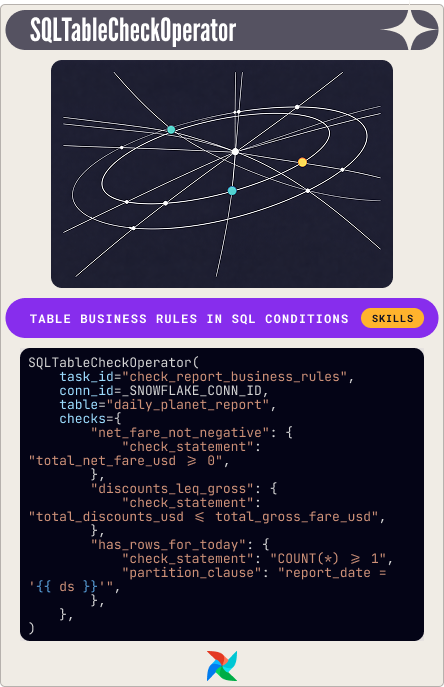
Named SQL expressions against a table, each of which must evaluate to true. The demo checks on the daily report:
SQLTableCheckOperator(
    task_id="check_report_business_rules",
    conn_id=_SNOWFLAKE_CONN_ID,
    table="daily_planet_report",
    checks={
        "net_fare_not_negative": {
            "check_statement": "total_net_fare_usd >= 0",
        },
        "discounts_leq_gross": {
            "check_statement": "total_discounts_usd <= total_gross_fare_usd",
        },
        "has_rows_for_today": {
            "check_statement": "COUNT(*) >= 1",
            "partition_clause": "report_date = '{{ ds }}'",
        },
    },
)
The partition_clause on the last check scopes it to today's execution date only, without touching the other two.
Play your cards in order
Knowing each card's job is half the work. The other half is sequencing.
Column checks first, table checks second. There's no point running complex multi-column business rules against data where the primary key is already null. Structural integrity checks are cheap, fast, and tell you whether the foundation holds before you build on it.
Source data first, aggregates second. In this scenario, planets, bookings, and payments are checked before daily_planet_report is touched. If the inputs are broken, the report is meaningless. Running report-level checks against broken source data generates noise.
Airflow's chain() and task groups make this sequencing explicit in the Dag:
from airflow.sdk import chain, task_group

@task_group
def source_data_checks():
    _planet_count = SQLValueCheckOperator(...)
    _booking_columns = SQLColumnCheckOperator(...)
    _orphaned_payments = SQLCheckOperator(...)
    _avg_payment = SQLThresholdCheckOperator(...)

    # Column checks run first; integrity and threshold run in parallel after
    chain(_planet_count, _booking_columns, [_orphaned_payments, _avg_payment])

@task_group
def report_quality_checks():
    _interval = SQLIntervalCheckOperator(...)
    _rules = SQLTableCheckOperator(...)
    chain(_interval, _rules)

chain(source_data_checks(), report_quality_checks())
Get notified
Checking for data quality is great. But how do you get notified?
To be notified when a data quality check fails, use the on_failure_callback parameter with a notifier.
There are many other notifiers you can use out-of-the-box. The AppriseNotifier supports 100+ notification services (Slack, Email, PagerDuty, Teams, etc.) through a unified interface. Install it via apache-airflow-providers-apprise. There is also a dedicated SlackNotifier of course 😉.
Learn more about notifications in our dedicated notification guide.
Multiple ways to play the same hand
Once you have your checks, you have a choice about what happens when they fail.
The hard gate: Add SQL check operators directly to your Dag, optionally grouped in task groups. When they fail, it means your Dag fails, so no downstream consumer processes work with the data produced by the Dag.
The medium gate: A dedicated data quality Dag, triggered by an Airflow Asset when the data has been processed by other tasks. If any check fails, the Dag fails. That way, data quality issues become very visible, but downstream Dags that depend on the data processing Dag will still run.
The soft gate. Checks embedded in the data processing Dag itself, but without an impact on the final Dag status. This can be achieved with one trick on the leaf task:
_done = EmptyOperator(
    task_id="pipeline_complete",
    trigger_rule="all_done",
)
Airflow marks a Dag run as failed only when a leaf task ends in failed or upstream_failed. With trigger_rule="all_done", the leaf task runs regardless of what happened upstream. Because it succeeds, the run is green.
The failing checks still fire their on_failure_callback. So notifications work. The pipeline didn't stop. The data still flowed. But the issue is visible.
However, this has various drawbacks, so use it carefully. If other tasks in the Dag fail besides the data quality checks, the Dag would still look successful. There are workarounds, but I'd recommend taking data quality seriously and going with a hard or medium gate.
The hand you can't draw
There will be scenarios your deck can't cover: the game doesn't start. Or you made the stupid mistake and sold your card collection not knowing how much it would be worth 🙂↕️. Worker outage. Scheduler restart. A misconfigured trigger. The DQ Dag never fires. Whatever data landed in your warehouse goes unchecked, and you won't know until something downstream breaks. Also, your view is always very narrow, you see your current cards, but wouldn't it be nice to see the full picture, all cards you will draw, how everything is connected?
This is where platform-level monitoring, like Astro Observe, fills the gap. It connects directly to your warehouse and runs checks on its own schedule, completely independent of Airflow. Row volume changes, null percentages, schema drift, custom checks. It watches your tables whether or not your pipeline ran.
When an alert fires, it also shows you the lineage: which Dag and task wrote the failing table, what fed into it upstream, which downstream assets are now at risk. Context that turns an alert into a diagnosis.
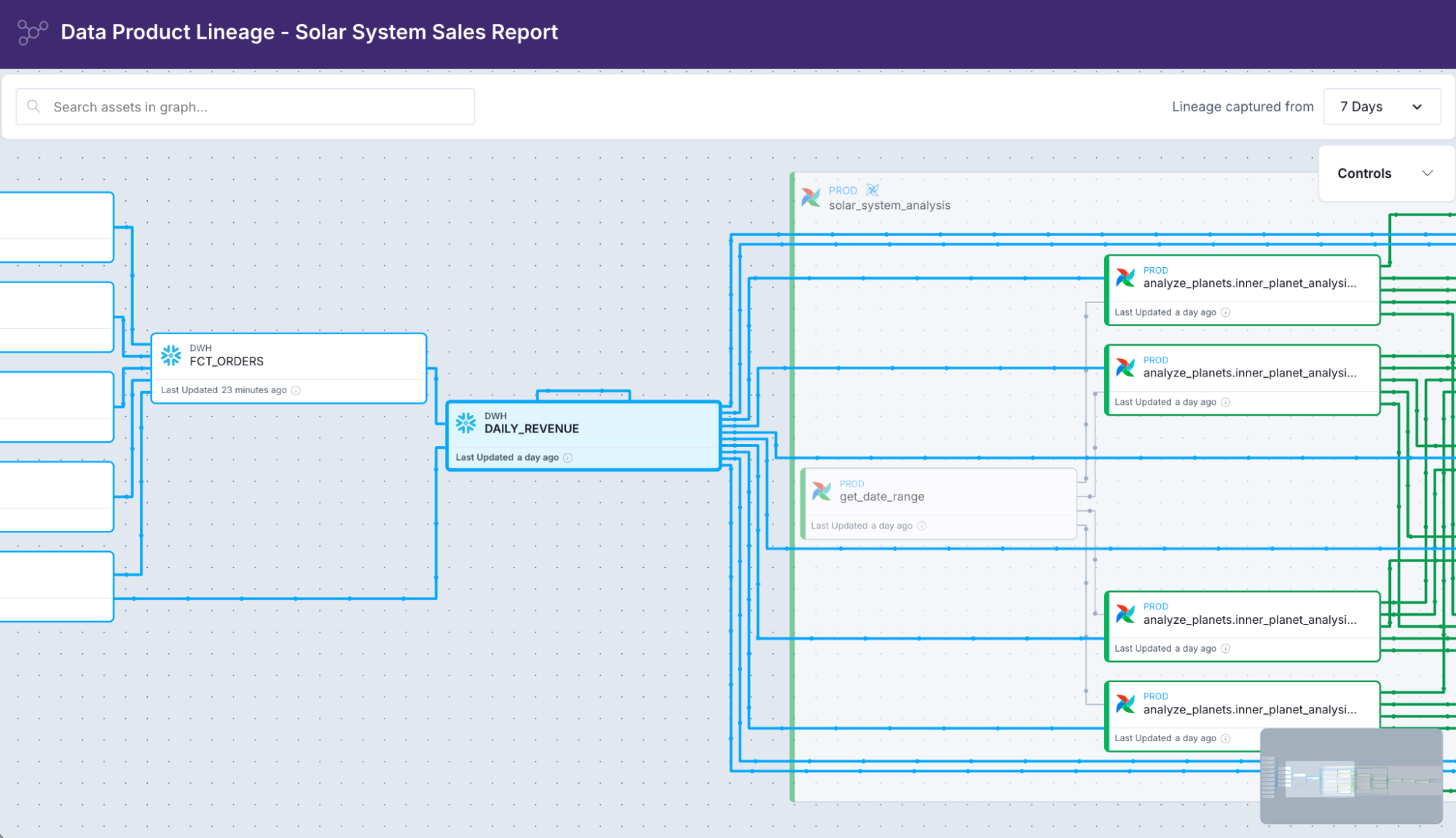
Platform-level lineage in Astro Observe
The data quality guide covers platform-level monitoring in detail, including custom SQL monitors and notification channel setup.
The right hand at the right time
Each card covers a specific category of failure:
Operator | Use when |
SQLValueCheckOperator | You have an exact expected value |
SQLColumnCheckOperator | You need field-level constraints on multiple columns |
SQLCheckOperator | Your check requires arbitrary SQL |
SQLThresholdCheckOperator | You need min/max bounds on a computed value |
SQLIntervalCheckOperator | You need to detect temporal drift against history |
SQLTableCheckOperator | You need multi-column business rules |
Start with column checks. Add value and threshold checks for your fixed expectations. Use the interval check to catch drift. Write table checks for the rules that only your team understands. Reach for SQLCheckOperator when you need to write the exact SQL for the exact problem you're solving.
Then decide how loudly to fail: hard gate for the things that should stop your pipeline, medium gate for the things you need to know without stopping it. Soft gate... maybe in a staging scenario.
That's the deck. Build it before the data makes it to production.
If you enjoyed the post, share your thoughts on LinkedIn, and afterwards, jump in for another round of Data Quality Duel:

Get started free.
OR
By proceeding you agree to our Privacy Policy, our Website Terms and to receive emails from Astronomer.