Airflow in Action: Inside GitHub’s Data Platform. Open Source to Copilot
8 min read |
GitHub processes billions of developer events per day spanning commits, issues, forks, and comments streaming in from every time zone. In its two Airflow Summit sessions, GitHub shows how Apache Airflow® turns raw events into trusted insights for GitHub Copilot, open source community health, and customer success. The speakers cover what it took to scale Airflow from a single instance in 2016 to a companywide platform today.
By watching the session replays, you’ll walk away with both business outcomes and concrete patterns you can apply in your own environments.
Session 1: From DAGs to Insights
Tala Karadsheh, Senior Director, Business Insights at GitHub presented Business-Driven Airflow Use Cases in her keynote session. Tala demonstrated that Airflow is not just a scheduler. It’s the orchestration platform that turns raw developer activity into structured intelligence used by product managers, engineers, and leadership. Tala describes Airflow as a “business superpower”. Others in the company say:
“Airflow is our lifeline”. “Airflow is sacred” Engineer and Product Manager at GitHub.
At GitHub, Airflow pipelines are treated like a product: versioned, tested, and observable. They power a range of use cases across the company. Tala described three in her session:
- Copilot development.
- Open source.
- Customer success.
GitHub Copilot Development
GitHub Copilot is a living AI product that depends on trust and continuous improvement. Airflow is the backbone of the telemetry loop that connects real-world usage and feedback back into product design.
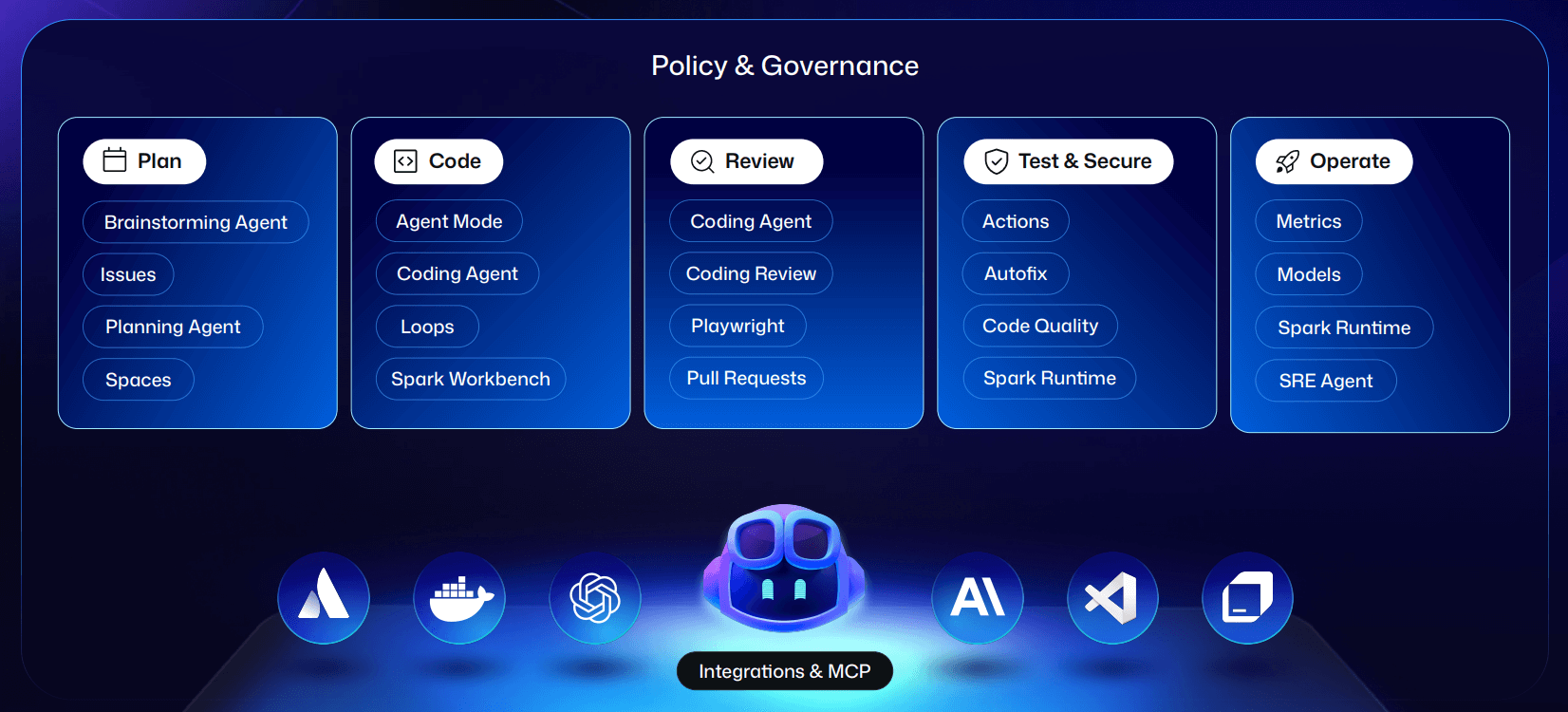
Figure 1: GitHub’s AI developer platform, continuously enhanced with data orchestrated by Airflow . Image source.
Airflow pipelines aggregate engagement metrics (adoption, frequency, feature-level usage), quality indicators (suggestion acceptance rates, follow-up edits), and rich feedback (thumbs up/down and qualitative comments), while sensors ensure this data is ingested as soon as it’s available. Every pipeline includes validation steps to catch anomalies, missing fields, or schema drift so leadership can trust the metrics.
Critically, GitHub uses Airflow to orchestrate feedback loops and detect usage patterns without exposing prompts or customer-confidential data. This lets the team refine agentic Copilot experiences: improving task flows, context handling for multi-step actions, and prioritizing the next round of experiments based on real developer behavior.
The result: Copilot evolves faster, with design and model decisions driven by real user signals rather than guesswork.
Editor’s note: If you’re building AI-driven applications, download our eBook “Orchestrate LLMs and Agents with Apache Airflow” for actionable patterns and code examples on how to scale AI pipelines, event-driven inference, multi-agent workflows, and more.
Open Source Health Metrics
GitHub hosts over 500 million projects for 150 million developers making 5 billion contributions annually. The health of open source maintainers directly affects the health of the entire software ecosystem. Airflow orchestrates daily metrics on maintainer load, community activity, forks, clones, growth rates, spam patterns, and adoption of best-practice guidelines.
A constellation of data pipelines produces a living dashboard for Developer Relations. Backfills let the team evolve definitions over time while restating history in a trusted way, and lineage ensures every KPI is auditable.
The result: GitHub can spot burnout signals, identify emerging communities, and target funding and program investment where they have the most impact.
Customer Success Signals
Customer success at GitHub is measured in outcomes, not licenses. Airflow acts as the control plane that consolidates signals from product, finance, CRM, and support into a unified, continuously updated health score per customer
Airflow sensors detect when new data lands so health scores update immediately, not on a fixed cron schedule. Custom operators provide a standard interface to external systems, avoiding brittle scripts. Dags track usage depth, support volume and resolution time, engagement with enablement content, and financial milestones. When a metric drifts, e.g., time-to-resolution rises, Airflow pipelines trigger alerts and plays for customer success managers, shortening the feedback loop between signal and action.
The result: GitHub can detect risk earlier, intervene faster, and guide customers to value before issues escalate.
Measuring ROI
Tala wrapped her keynote by sharing that GitHub measures Airflow ROI across three dimensions:
- Time saved: Automation frees analysts and PMs from manually aggregating data and lets them focus on analysis and strategy.
- Speed to decision: Fresh signals mean faster interventions, which correlate with higher satisfaction and retention.
- Risk reduction: The cost of stale or missing data is higher than the cost of a robust orchestration layer.
Session 2: GitHub’s Airflow Journey.
While Tala focused on business impact, Oleksandr Slynko’s session Lessons, Mistakes, and Insights is the data engineering deep dive: how GitHub scaled Airflow from a single team’s ETL tool to a platform running ~1,000 active pipelines across 70 teams, executing 50,000 tasks per day.
GitHub has been running Airflow for nearly nine years, and the talk distills years of on-call experiences, upgrade projects, and scaling optimizations into a set of practical lessons. A summary follows. Watch the session replay to see all of them.
ETL Can’t Live in One Team
As GitHub’s demand for data grew, a central data platform team became a bottleneck with months of backlog. The first lesson: ETL for the whole company doesn’t scale through one team. GitHub moved to a self-serve model, where domain teams own Dag code while the platform team owns the Airflow platform and paved paths.
They formalized code owners for Dags, separated from data owners, and used CI checks plus a dedicated “ownership” Dag to ensure every Dag always has a valid owner even as org structures change.
Encode Best Practices in Examples, CI, and Tests
Most GitHub engineers are not Airflow specialists. They copy patterns. The Airflow team realized if they don’t provide good Dag examples, people will copy bad ones.
They invested in:
- Clean, production-grade example Dags and patterns (no custom Dag classes that can’t be updated using the AIR ruff rules).
- Consistent formatting (including for SQL scripts) to improve maintainability.
- CI that renders each Dag and asserts required parameters (retries, schedules, etc.) are present and have valid values, so misconfigurations are caught before deploy.
Make Backfills a First-Class, Safe Operation
Expecting every pipeline author to learn the Airflow CLI and backfill semantics does not work at company scale. GitHub built tooling on top of Airflow. This includes Slack commands and a dedicated “backfill orchestrator” Dag that runs backfills for other Dags.
Users supply a Dag ID and date range; the “backfill Dag” handles the complexity. This keeps backfills safe, auditable, and accessible, without requiring everyone to memorize operational runbooks.
Editor's note: Backfills in Airflow 3 have been significantly improved. Engineers can trigger, monitor, pause, or cancel backfills from the UI or API. Large-scale reprocessing jobs run reliably without session timeouts, ensuring consistent performance even for backfills spanning months of historical data.
Test Operators and Connections Continuously
To reduce on-call stress, GitHub uses Airflow itself to test the platform:
- Dags that run custom operators daily with sample data, so regressions are caught before they hit user Dags.
- Dags that validate connections, including database-specific checks (e.g., long-running queries against analytics replicas) to detect misconfiguration early.
This proactive testing lets the team fix issues with databases or infrastructure before they cascade into pipeline failures across the company.
Treat Upgrades as a Continuous Process, Not a Yearly Event
Major upgrades were once multi-month incidents, especially with custom forks. The team’s turning point:
- Drop custom forks, rely on upstream Airflow and official container images.
- Use devcontainers/Codespaces so dev and production environments match and Dags can easily be tested against multiple Airflow versions.
- Provide ephemeral Airflow clusters for realistic Dag testing against staging or controlled production data.
- Simplify CI so upgrading often just means changing the specified version in one or two places.
- Continuously upgrade providers and dependencies via Dependabot-style automation.
This reduced the time for major upgrades to a few months, with much less active toil and fewer user-facing incidents.
Things to Do When You Get Home
Oleksandr closes with a concise action list:
- Create Dags that test your connections and custom operators.
- Stand up a dev/ephemeral Airflow environment that can reach real data safely.
- Build a simple, user-friendly path for backfills and other operational tasks.
- Fix obvious Dag duplication before it spreads.
- Contribute improvements and bug fixes back to the Airflow community.
Closing Thoughts: Airflow at the Heart of GitHub and Copilot
Across both talks, one theme is clear: Airflow is critical infrastructure at GitHub. It underpins open source health, customer success, and the feedback loops that keep GitHub Copilot improving while preserving user trust and data confidentiality.
The engineering journey shows how to scale Airflow from a team tool to a self-service platform with strong guardrails. The business story shows how those pipelines translate directly into better decisions, faster responses, and more reliable AI experiences.
For teams that want these capabilities without building them from scratch, Astro, the fully managed Airflow service, delivers the reliability, scalability, testing infrastructure, and streamlined developer experience GitHub built over nearly a decade, right out of the box. You can get started for free with Astro today.

Get started free.
OR
By proceeding you agree to our Privacy Policy, our Website Terms and to receive emails from Astronomer.