What's New in Otto: Your Airflow Expert Now Available with Any Agent
4 min read |
Otto is the only agent specifically built for Airflow and Astro. It authors Dags with your conventions in place, diagnoses failures using your deployment's real history, and gets smarter every time your team uses it. Plus, we've just proven Otto's capability to solve real data engineering problems by partnering with Carnegie Mellon to create the data engineering agent benchmarking test. The results of that test are available at the repo above, and we'll be releasing a technical deep-dive article soon that explains our methodology and results in detail.
Our latest release makes Otto available in more places. Here's what's new:
Otto is now available everywhere
Since Otto was made available in the Astro IDE, we found a lot of users were navigating there for questions about their deployments or other parts of Astro. It showed that there was interest in Otto across the platform, and so we’ve now introduced the Otto panel throughout Astro.
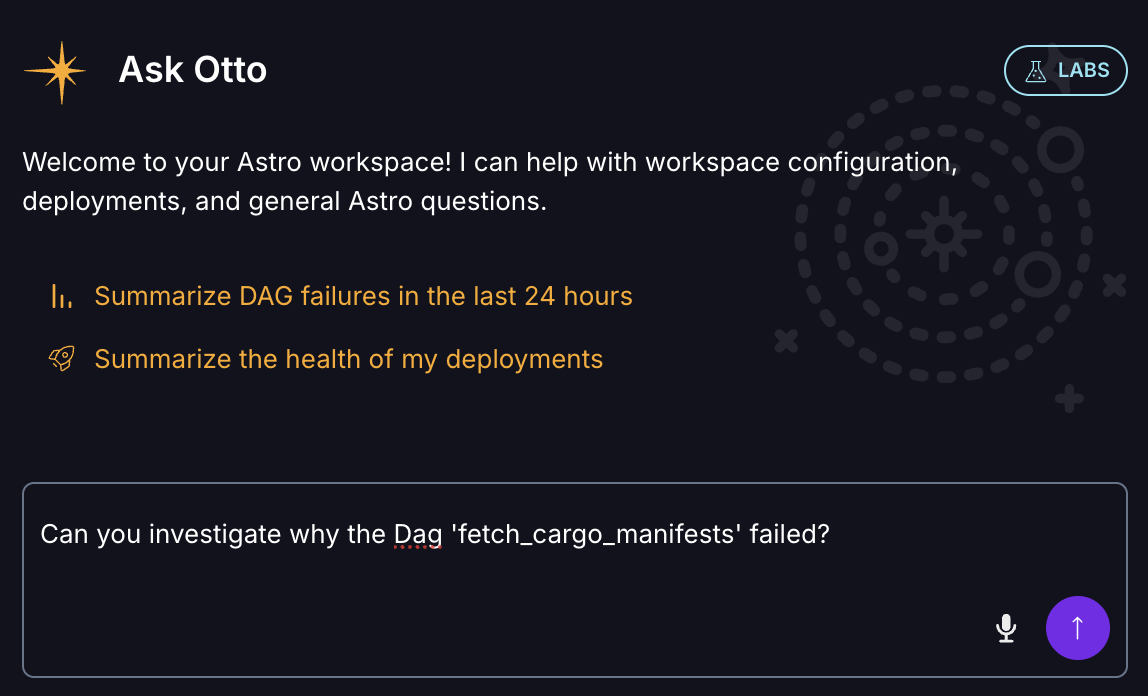
Otto can be accessed anywhere within Astro’s browser interface, and remains aware of your context as you navigate around. You can ask questions about your Dags and deployments, investigate and troubleshoot a failing Dag, or have Otto take actions with your approval. Otto asks before it acts and remembers your recent conversations, so you're not re-explaining context every time you move between screens.
Connect Astro with your agent of choice
Some of our customers already have a preferred coding agent and want to keep using it while still getting access to Otto's context on their Airflow deployment. We’ve now replaced our single-token Astronomer MCP with a hosted and authenticated MCP server, which connects Astro to any MCP-compatible agent (including Claude Code, Cursor, Codex, Claude Desktop, VS Code, or an internal gateway).
.png)
You can sign in with your Astro credentials with no separate API keys required. Access follows the permissions you already have, and the server sits behind the enterprise gateways that regulated teams already route their agents through. Once connected, that agent can access the Astro control plane, including Deployments, Workspaces, environment objects, and Organization settings and call on Otto’s skills from the agent you already use. For example, you can use Claude Code to develop weekly or daily health checks of your Deployments.
Ready to get started? Check out the MCP server documentation
Bring Your Own Model for Enterprise Business Critical accounts
We’re also expanding the availability of Bring-Your-Own-Model in Labs.
If your organization has an approved AI provider (an OpenAI- or Anthropic compatible endpoint), you'll be able to run your models on Astro. This feature is in limited early access, so contact your account executive if it applies to your needs.
For most teams, Otto's default managed models are still the better option. Otto is model-agnostic by design, already supporting OpenAI and Anthropic. Stay on our managed models and you get automatic access to new models as they launch, with smarter cost optimization and no extra setup or switching costs. It’s a stress-free, continuously improving experience.
If you’re interested in using Otto with your own model, contact your Astronomer account team to request access.
What’s Coming Next
We have more Otto announcements coming soon, including the results of our partnership with Carnegie Mellon to develop a data engineering benchmarking project for agents, and the upcoming release of our VS Code and Cursor extension to bring deployment browsing, DAG control, logs and Otto into VS Code and Cursor.
Try Otto today
Otto knows your Dags, your deployments, and how to fix what's broken, without a setup project or a new workflow to learn. Ask it a question in Astro or the Astro CLI, or connect it to the agent you already use through the Astro MCP server. There’s never been a better time to try it out.