Migrating from airflow-ai-sdk to Apache Airflow's Common AI provider
11 min read |
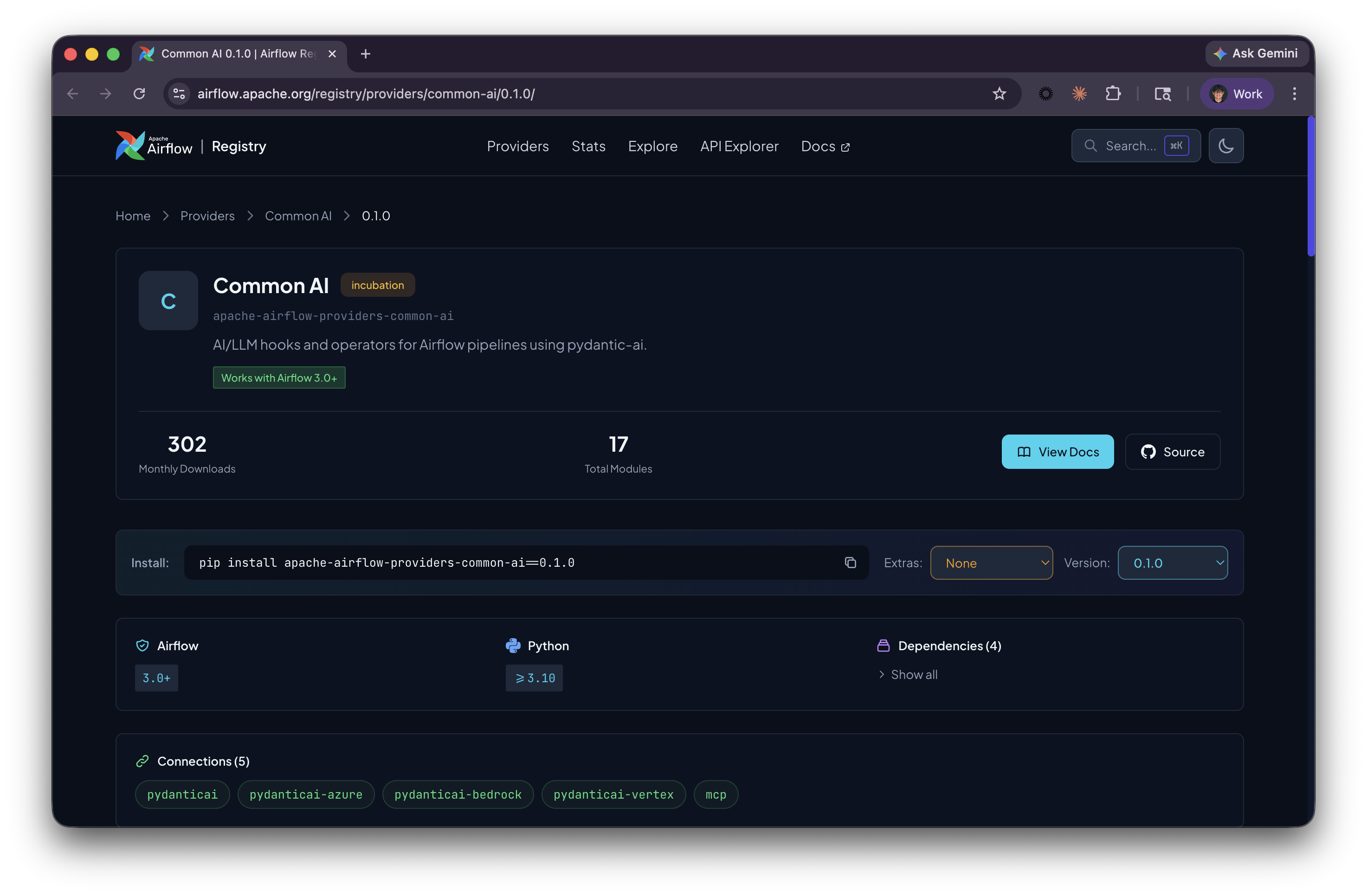
apache-airflow-providers-common-ai 0.1.0 shipped in April, 2026. It is the official Airflow provider for AI and LLM workflows, built on PydanticAI, and shares its foundations with the airflow-ai-sdk that many of us have been using. You'll find the same set of base decorators and the same underlying engine, alongside a new configuration model, a toolset system that turns Airflow's 350+ provider hooks into agent tools, and additional capabilities like durable execution and built-in human review. If you're looking to take advantage of these new features, migrating from the SDK is a natural next step.
This post covers what changed, why it matters (the toolsets story alone is worth the migration), and how to migrate without losing a weekend.
The migration
The airflow-ai-sdk shipped fast, iterated fast, and gave the Airflow community a way to wire LLMs into Dags using decorators instead of raw API calls. That was valuable. It was a great way to get started, and it made native AI workflows in Airflow possible. However, being an early adoption of AI workflows, it also came with limitations. Take the following example:
@task.llm(model="gpt-5-mini", system_prompt="Classify this review.", output_type=ReviewAnalysis)
def analyze_review(review_text: str) -> str:
    return review_text
Want to switch from gpt-5-mini to claude-sonnet? It required a code change, or workaround via variables. Want to point your staging environment at a local Ollama instance while production uses OpenAI? More code changes. Your infrastructure team could not configure the LLM backend without touching your pipeline code.
The new provider fixes this by introducing a pydanticai connection type in Airflow. Your model, API key, and endpoint live in the Airflow connection layer. Your Dag code only references a connection ID.
@task.llm(llm_conn_id="pydanticai_default", system_prompt="Classify this review.", output_type=ReviewAnalysis)
def analyze_review(review_text: str) -> str:
    return review_text
Same task, but now swapping models, rotating API keys, or pointing staging at a different backend is an Airflow connection change. The migration itself touches four areas: dependencies, model configuration, decorator parameters, and one decorator that no longer exists.
Dependencies
Out with the old, in with the new:
# Remove
airflow-ai-sdk[openai]

# Add
apache-airflow-providers-common-ai[openai]==0.1.0
The extras map to LLM providers: [openai], [anthropic], [google], [bedrock], [groq], [mistral]. Same pattern as before, just a different package name.
Connection-based model configuration
As mentioned earlier, instead of passing model names as strings in Python, you define a pydanticai connection. The model field uses provider:model format:
AIRFLOW_CONN_PYDANTICAI_DEFAULT='{
    "conn_type": "pydanticai",
    "password": "<your-api-key>",
    "extra": {
        "model": "openai:gpt-5-mini"
    }
}'
Every task that references llm_conn_id="pydanticai_default" uses this model and key. Swap openai:gpt-5-mini for anthropic:claude-sonnet-4-20250514 and every task picks it up on the next run.
For self-hosted or custom endpoints (Ollama, vLLM, any OpenAI-compatible API), add the host field:
AIRFLOW_CONN_PYDANTICAI_LOCAL='{
    "conn_type": "pydanticai",
    "host": "http://localhost:11434/v1",
    "extra": {
        "model": "openai:llama3.1-8b"
    }
}'
The openai: prefix tells PydanticAI to use the OpenAI protocol. The actual backend can be anything that speaks that protocol. Your Dag code does not know or care whether the model runs on OpenAI, a local Ollama instance, or a cloud-hosted endpoint. That decision lives in the connection.
Decorator changes
The core change across all decorators: model= becomes llm_conn_id=.
@task.llm: Straightforward swap. Everything else stays the same.
# Before
import airflow_ai_sdk as ai_sdk

class ReviewAnalysis(ai_sdk.BaseModel):
    sentiment: Literal["positive", "negative", "neutral"]
    category: Literal["safety", "service", "value", "experience"]
    summary: str

@task.llm(
    model="gpt-5-mini",
    system_prompt="Analyze the given trip review and extract sentiment, category, and summary.",
    output_type=ReviewAnalysis,
)
def analyze_review(review_text: str) -> str:
    return review_text

# After
from pydantic import BaseModel

class ReviewAnalysis(BaseModel):
    sentiment: Literal["positive", "negative", "neutral"]
    category: Literal["safety", "service", "value", "experience"]
    summary: str

@task.llm(
    llm_conn_id="pydanticai_default",
    system_prompt="Analyze the given trip review and extract sentiment, category, and summary.",
    output_type=ReviewAnalysis,
)
def analyze_review(review_text: str) -> str:
    return review_text
Two changes: model= becomes llm_conn_id=, and ai_sdk.BaseModel becomes plain pydantic.BaseModel. The system prompt, output type, and function body are identical.
@task.llm_branch: Same swap. allow_multiple_branches is unchanged.
# Before
@task.llm_branch(model="gpt-5-mini", system_prompt="Route this ticket...")
def route(text: str) -> str:
    return text

# After
@task.llm_branch(llm_conn_id="pydanticai_default", system_prompt="Route this ticket...")
def route(text: str) -> str:
return text@task.agent: This one changed the most. You no longer pre-build a PydanticAI Agent object. Instead, the decorator builds it internally from the parameters you provide:
# Before: Agent built at module level
from pydantic_ai import Agent

support_agent = Agent(
    "gpt-5-mini",
    system_prompt="You are a customer service agent. Draft a response to the review.",
    tools=[lookup_booking, find_similar_reviews],
)

@task.agent(agent=support_agent)
def draft_response(prompt: str) -> str:
    return prompt

# After: No Agent object, config via parameters
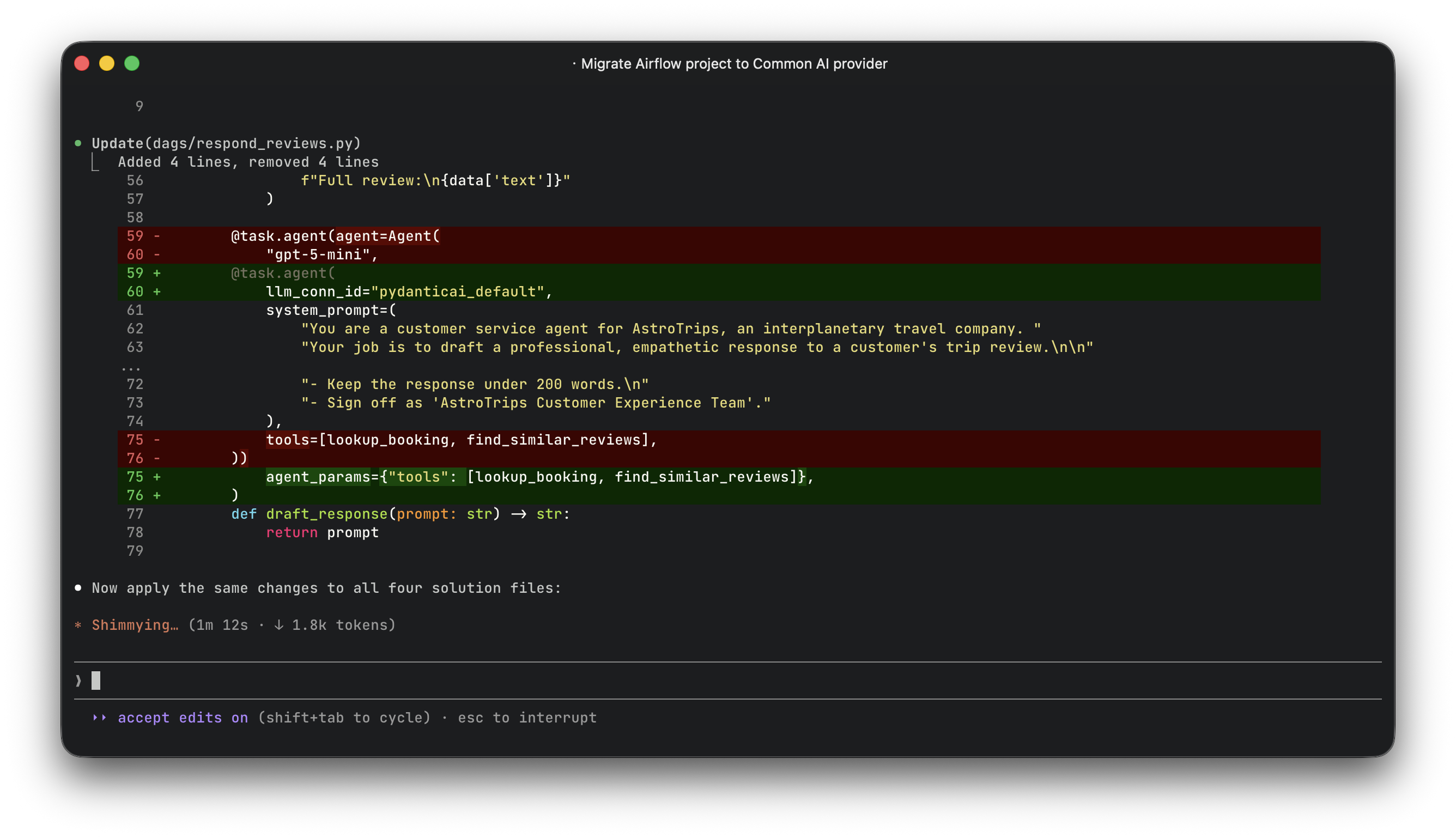
@task.agent(
    llm_conn_id="pydanticai_default",
    system_prompt="You are a customer service agent. Draft a response to the review.",
    agent_params={"tools": [lookup_booking, find_similar_reviews]},
)
def draft_response(prompt: str) -> str:
    return prompt
The agent_params dict passes additional keyword arguments to PydanticAI's Agent constructor. Tools, retries, model settings, all go in there.
@task.embed: Gone. The new provider does not include an embed decorator. If you use sentence-transformers for local embeddings, replace with a plain @task:
# Before
@task.embed(model_name="all-MiniLM-L6-v2")
def embed(text: str) -> str:
    return text

# After
@task
def embed(text: str) -> list[float]:
    from sentence_transformers import SentenceTransformer
    model = SentenceTransformer("all-MiniLM-L6-v2")
    return model.encode(text).tolist()
BaseModel import
airflow_ai_sdk.BaseModel was a thin wrapper around Pydantic's BaseModel. Replace it with the actual model:
# Before
import airflow_ai_sdk as ai_sdk
class MyOutput(ai_sdk.BaseModel):
    sentiment: str

# After
from pydantic import BaseModel
class MyOutput(BaseModel):
    sentiment: str
What you actually gain
If the migration were just model= becoming llm_conn_id=, it would be a boring Tuesday afternoon refactor. The reason to migrate now is what comes with the new provider that the SDK never had.
Airflow hooks as agent tools
This is the feature that made me stop reading the docs and start rewriting code.
Airflow already has hooks for everything: S3, Snowflake, Slack, HTTP APIs, databases, GCS, the list goes on. Over 350 of them across the provider ecosystem. With airflow-ai-sdk, if you wanted an agent to query a database or read a file from S3, you wrote a custom tool function, managed the connection yourself.
The new provider ships HookToolset, which turns any existing Airflow hook into a set of typed agent tools. The hook's methods become tools. The hook's docstrings become tool descriptions. Authentication flows through Airflow's connection and secret backend. You just declare which methods the agent is allowed to call.
from airflow.providers.common.ai.toolsets import HookToolset, SQLToolset

@task.agent(
    llm_conn_id="pydanticai_default",
    system_prompt="You are a data analyst. Answer questions using the database.",
    toolsets=[
        SQLToolset(db_conn_id="postgres_default", allowed_tables=["orders", "customers"]),
        HookToolset(
            S3Hook(aws_conn_id="aws_default"),
            allowed_methods=["list_keys", "read_key"],
            tool_name_prefix="s3_",
        ),
    ],
)
def analyst(question: str) -> str:
    return question
The agent sees typed tools like s3_list_keys and s3_read_key with parameter descriptions pulled from the hook's docstrings. It authenticates through the Airflow connection. No separate MCP server. No custom tool wrappers. No logic to handle credentials.
Think about what this means in practice. Every integration your team has already configured in Airflow (Snowflake queries, Slack messages, HTTP calls, reading files from cloud storage) is now one HookToolset() away from being available to an agent. The agent does not need its own credentials. It does not need a separate auth flow. It uses the same connection your SQLExecuteQueryOperator already uses.
Built-in toolsets beyond hooks
HookToolset is the most general, but the provider also ships purpose-built toolsets:
| Toolset | What it does |
|---|---|
SQLToolset | list_tables, get_schema, query, check_query for any database behind a DbApiHook. Supports table allowlists and row limits. |
HookToolset | Wraps any Airflow hook's methods as typed agent tools. |
MCPToolset | Connects to external MCP servers via Airflow connections. |
DataFusionToolset | SQL over files in object storage (S3, GCS, local) via Apache DataFusion. No database required. |
All of them resolve connections lazily through BaseHook.get_connection(). No hardcoded credentials anywhere.
Human-in-the-loop, built into the operator
With the SDK, adding human review to an agent response meant wiring a separate HITLBranchOperator downstream, formatting the review body, and mapping approval options to task IDs. It worked, but it was plumbing.
The new provider builds it in. For simple approval gates:
@task.llm(
    llm_conn_id="pydanticai_default",
    system_prompt="Summarize this report.",
    require_approval=True,
    approval_timeout=timedelta(hours=24),
    allow_modifications=True,  # reviewer can edit the output before approving
)
def summarize(report: str) -> str:
    return report
For iterative agent review, where a human can reject and send feedback that the agent uses to regenerate:
@task.agent(
    llm_conn_id="pydanticai_default",
    system_prompt="Draft a customer response.",
    enable_hitl_review=True,
    max_hitl_iterations=5,
)
def draft_response(prompt: str) -> str:
    return prompt
The review UI is built into Airflow's web interface.
Durable execution
Agent runs that involve multiple tool calls and LLM roundtrips are expensive. If a transient error kills the task after four successful steps, retrying starts from scratch. With the SDK, you ate that cost.
The new provider adds durable=True, which caches each model response and tool result to ObjectStorage during execution. On retry, cached steps replay instantly. The agent resumes from exactly where it failed. Cache deletes automatically after successful completion.
More new task types
Beyond the four decorators the SDK had (and minus @task.embed, which is gone, but can be replaced with a basic @task and manual embedding code), the new provider adds:
@task.llm_file_analysis: Point an LLM at files in S3, GCS, or local storage. Supports CSV, Parquet, Avro, JSON, and images. Multimodal mode sends images and PDFs as binary attachments.@task.llm_sql: Natural language to SQL. The operator introspects the database schema, generates SQL, and validates it through AST parsing with sqlglot before execution. Safety rails included.@task.llm_schema_compare: Compare schemas across databases and get structuredSchemaMismatchresults with severity levels. Handles type mapping differences (varchar vs string, timestamp vs timestamptz).
Model override per task
The model_id parameter lets you override the connection's default model for a specific task. Route simple classification to a cheap model, complex reasoning to a capable one, all using the same connection and API key.
Automating the migration with a Claude Code skill
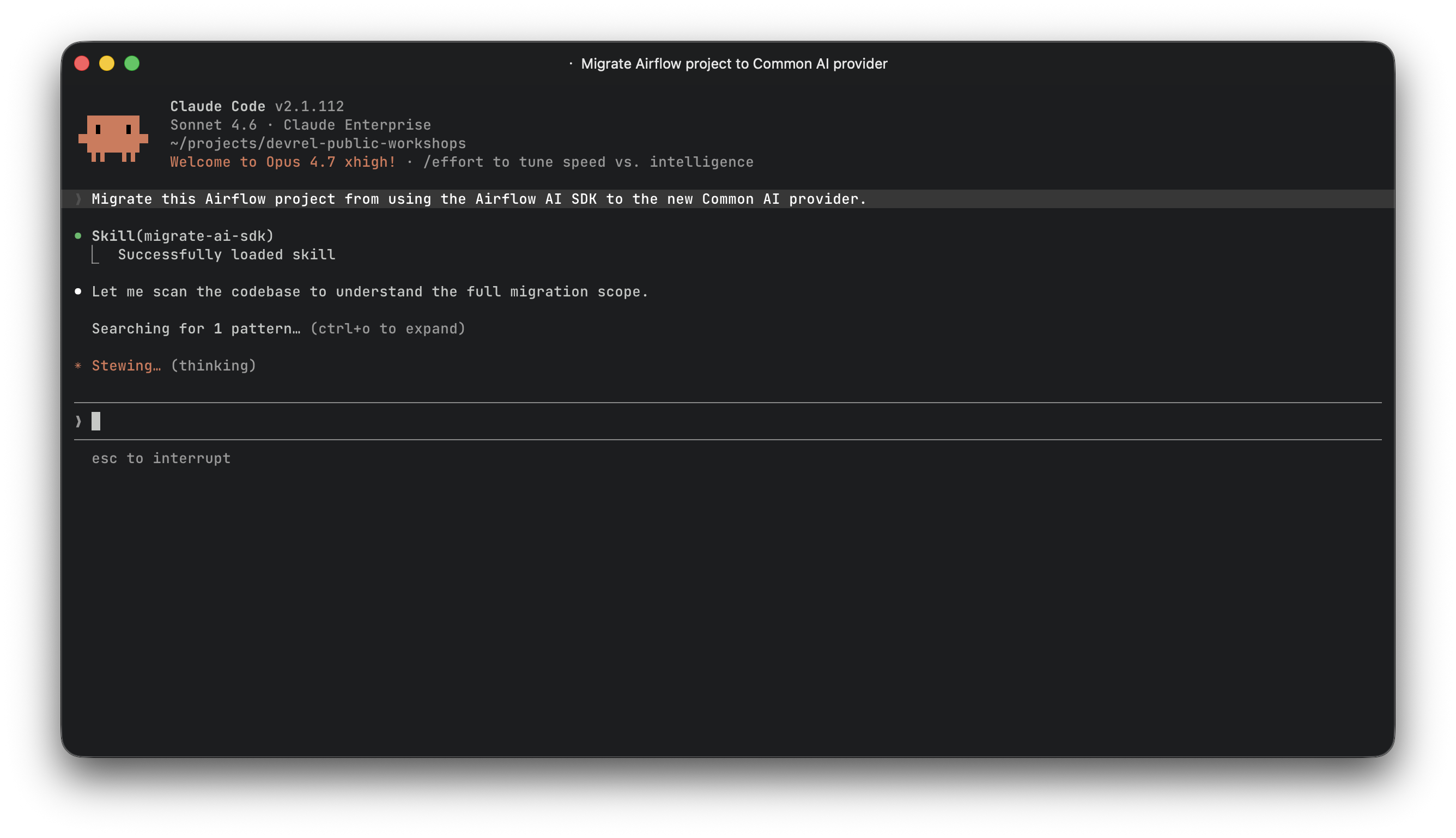
I migrated two projects in the same session and realized the steps are mechanical enough to codify. So I built a Claude Code skill that handles the migration automatically.
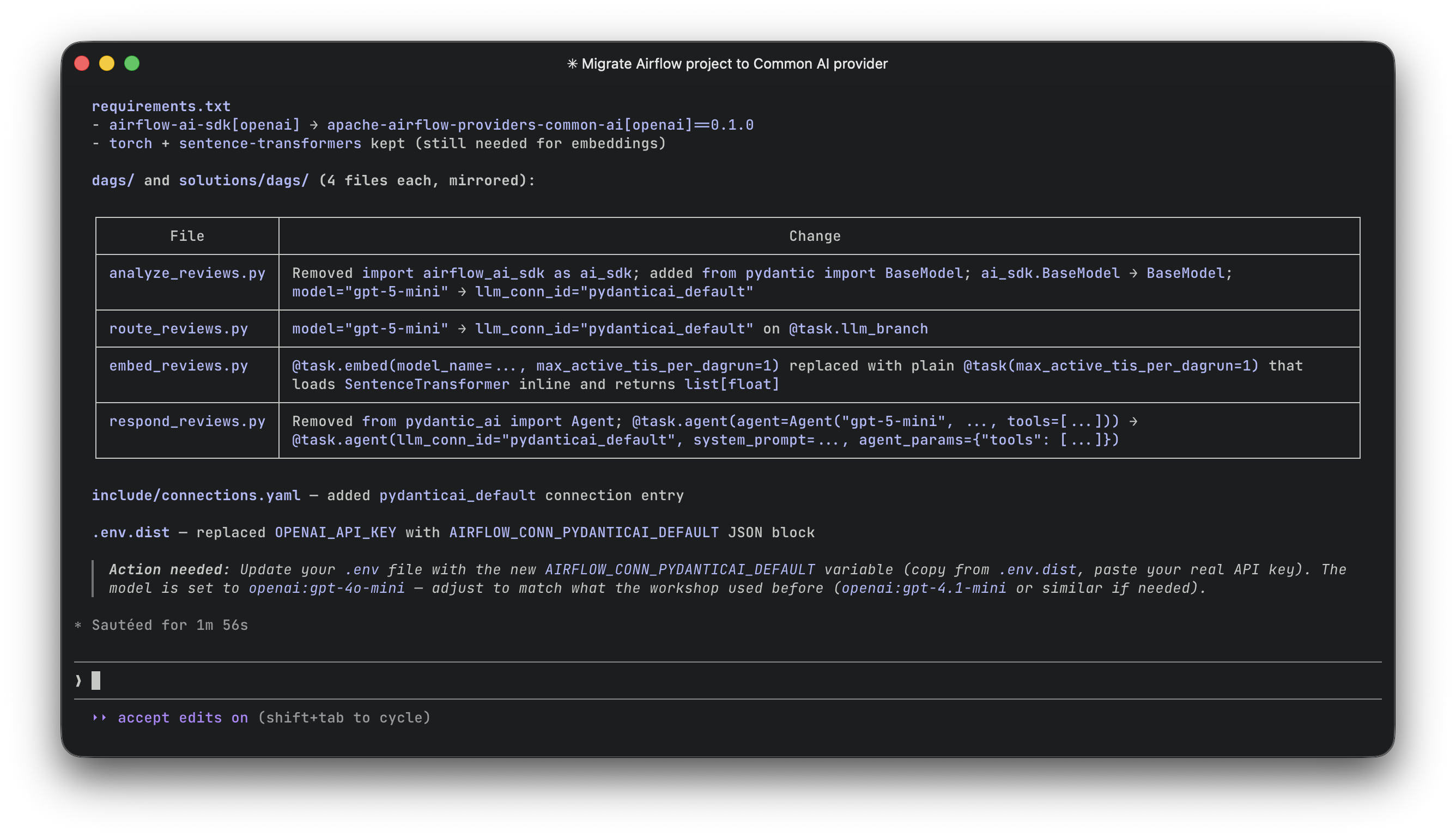
The skill (migrating-ai-sdk-to-common-ai) walks through every step: scanning for SDK usage, updating dependencies, creating the PydanticAI connection, migrating each decorator type, updating imports, cleaning up stale env vars, and running verification greps to confirm nothing was missed.
It covers every pattern: @task.llm with structured output, @task.agent with pre-built Agents and tools, @task.llm_branch with single and multiple branches, @task.embed replacement, BaseModel swaps, and custom endpoint configuration for self-hosted or OpenAI-compatible providers.
The parameter mapping tables in the skill are the most useful part. For each decorator, they show exactly which old parameter maps to which new parameter, and which new parameters have no SDK equivalent. No guessing, no reading through changelogs.
If you use Claude Code, you can grab the skill and point it at any project that uses airflow-ai-sdk.
👉 The skill is part of the official Astronomer open-source AI agent tooling, also available on the Claude Code marketplace and as a Cursor plugin.
Should you migrate now?
The airflow-ai-sdk still works. Nobody is going to break your existing Dags tomorrow. But the SDK is no longer where new development happens. The HITL review features, durable execution, file analysis, and SQL generation are all in the provider, not the SDK. And the provider is where bug fixes and model support updates will land going forward.
There is also a practical consideration: pydantic-ai-slim>=1.34.0 is a significant version jump from the SDK's >=0.4.0. The longer you wait, the wider the gap between your pinned dependencies and the ecosystem. Migrating now, while both versions are still close enough to coexist in your mental model, is easier than migrating six months from now when the SDK's patterns feel foreign.
The migration itself is small. For a typical project with 4-5 Dags using LLM decorators, expect 30 minutes of actual code changes. Most of that time is updating the @task.agent calls, which have the biggest API delta. Everything else is find-and-replace.
The bigger picture
What is the release of the common AI provider signaling about where Airflow is going? A year ago, LLM integration in Airflow was an experiment. Today it is an official provider with a connection type, six operators, a toolset system that gives agents access to every hook in the Airflow ecosystem, and a place in the docs alongside Snowflake and Amazon. That is a different category of commitment.
The HookToolset pattern is the part that will age best. Every new Airflow provider hook that ships from now on is automatically available as an agent tool. The ecosystem compounds. Your agents get more capable every time someone publishes a new provider, without you changing a single line of Dag code.
For data engineers who have been waiting for LLM orchestration to feel like a first-class citizen in their existing tools rather than a bolted-on novelty: this is the moment it starts to feel real.
