

Only a System Admin can deregister a data plane cluster.
Prerequisites
- Make sure there are no running Airflow Deployments in the data plane cluster.
- Check that your automation configurations and scripts, such as your CI/CD or IaC, do not reference this cluster.
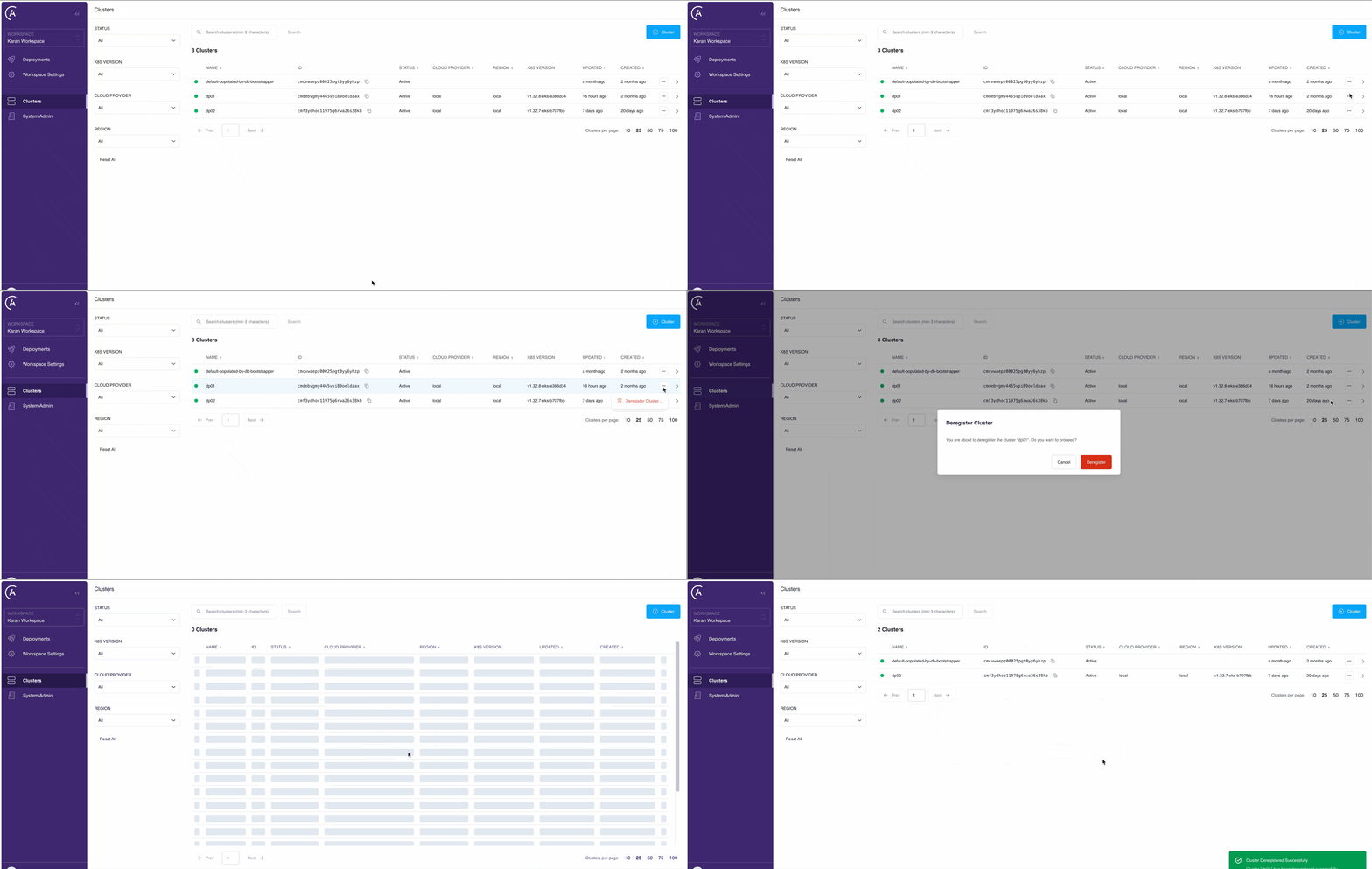
Deregister via the UI
- In the Astro Private Cloud UI, go to the Clusters page.
- Click See More […] on the cluster that you want to deregister.
- Click Deregister Cluster.
- Click Deregister.
Deregistering a data plane cluster does not delete existing platform resources such as namespaces, services, or persistent volumes in your cloud environment. If you want to fully remove these resources, you must manually delete the Helm release.
Deregister through the Houston API
You can also deregister a data plane cluster by calling thederegisterCluster mutation on the Houston API. Send the request to https://houston.<your-base-domain>/v1 with a system service account or System Admin user token in the Authorization header. For details, see Authenticate to the Houston API.