

wasb protocol, which means you can connect with any Azure Storage account including Azure Data Lake Gen 1 and Azure Data Lake Gen 2.
Prerequisites
- The Astro CLI.
- A locally running Astro project.
- An Azure storage account.
- Permissions to access blob data from your local Airflow environment.
Get connection details
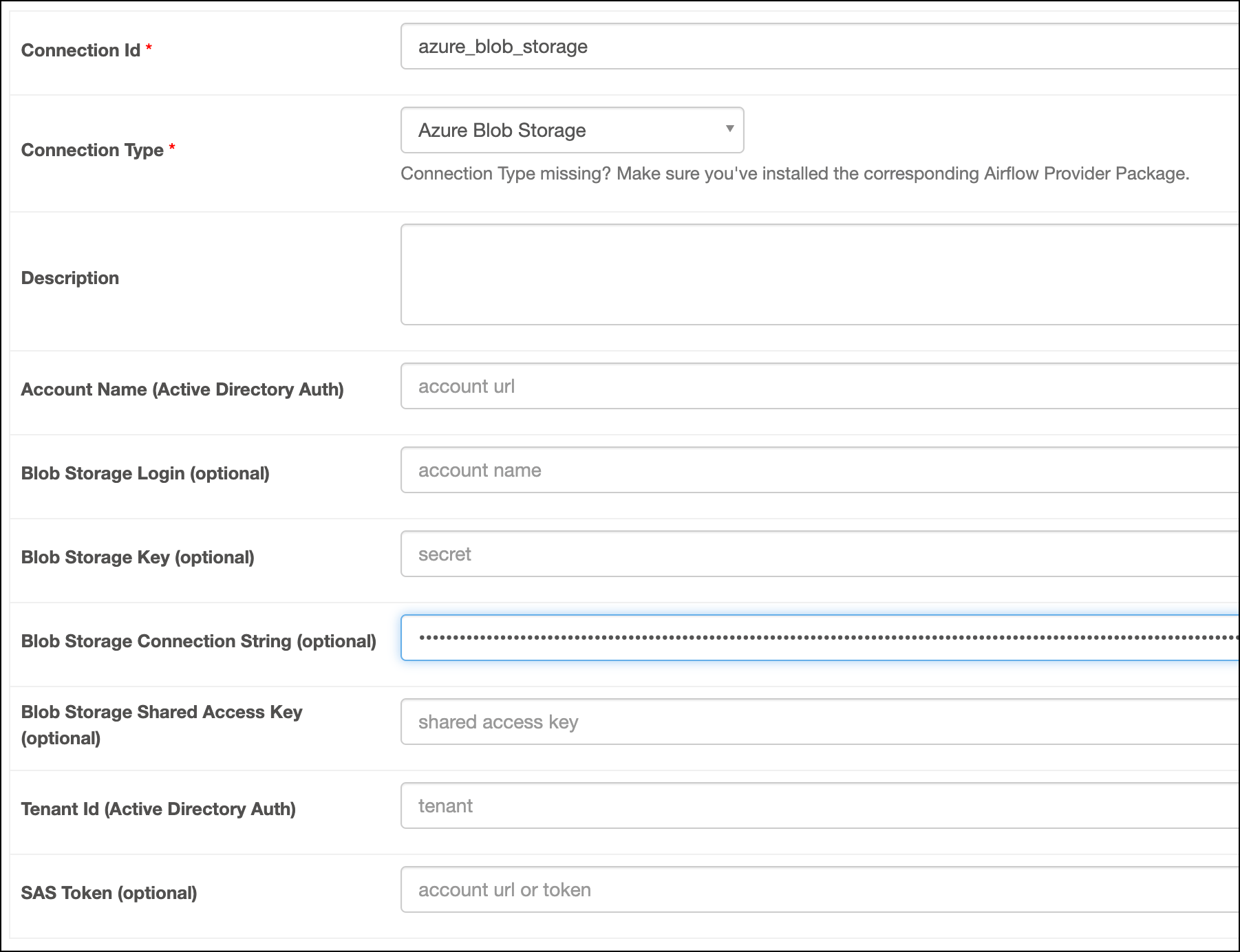
To create an Azure Blob Storage connection in Airflow, you can use any of the following methods:- Connection String
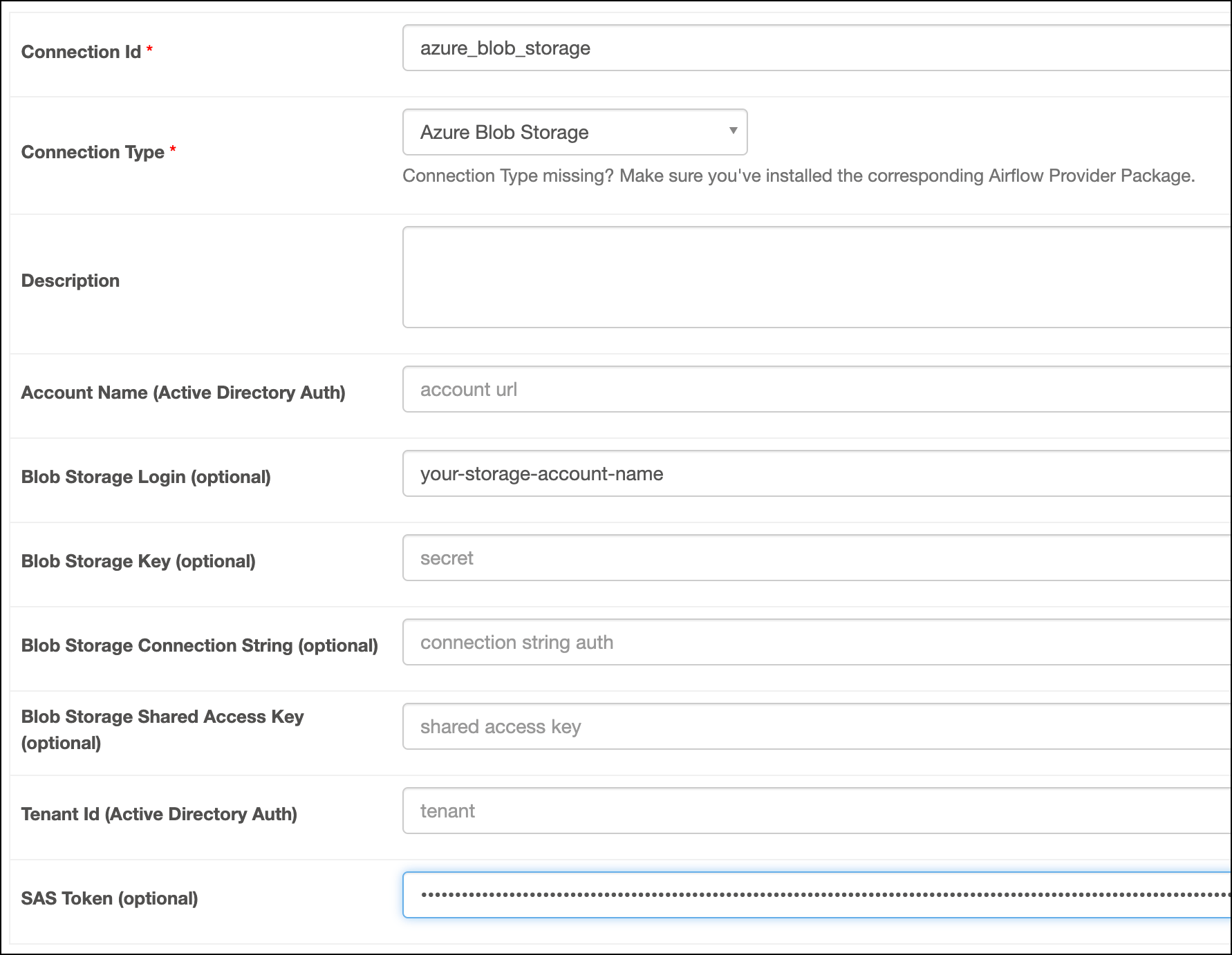
- SAS Token
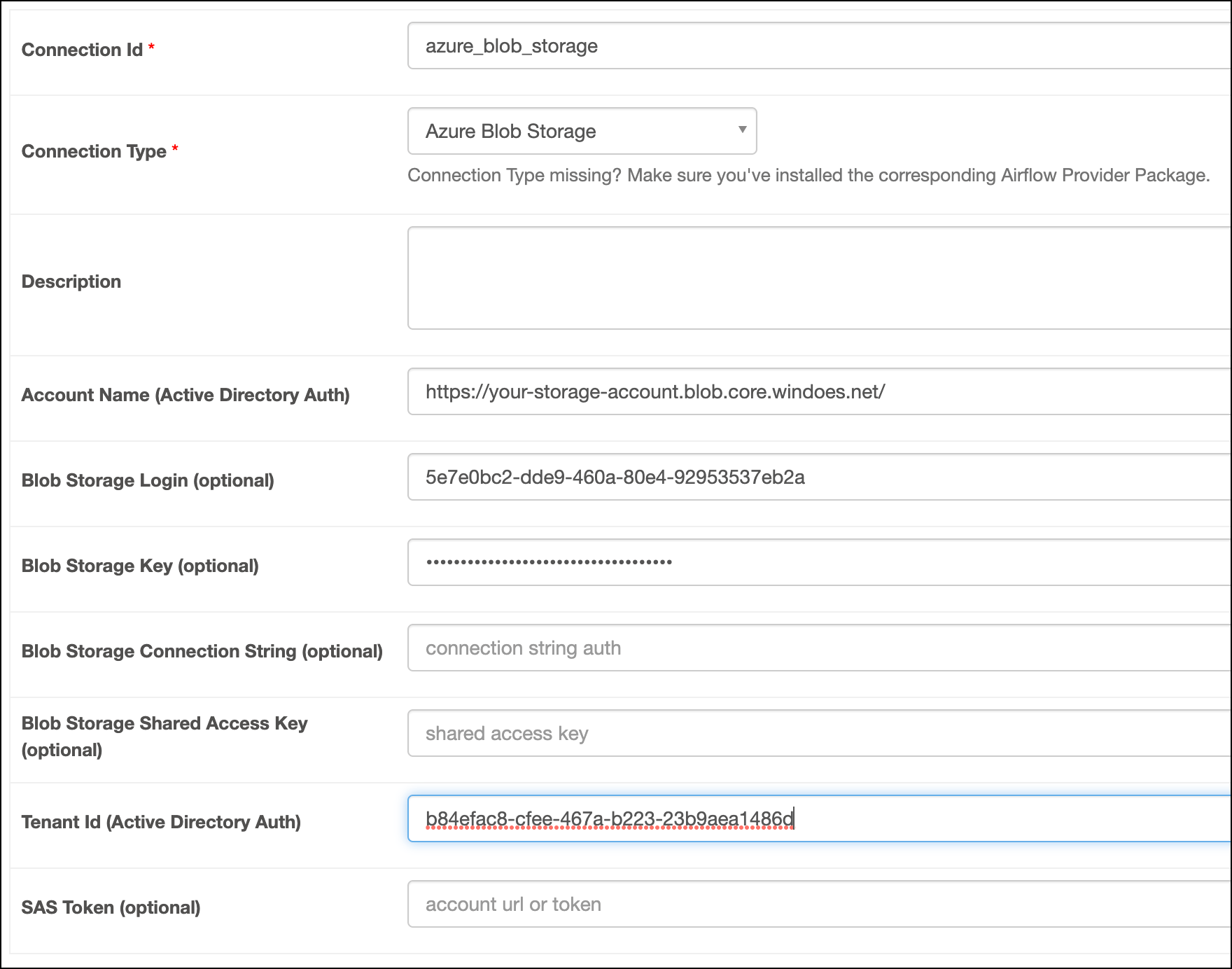
- Azure App Service Principal
Create your connection
Astro users can also create connections using the Astro Environment Manager, which stores connections in an Astro-managed secrets backend. These connections can be shared across multiple deployed and local Airflow environments. See Create Airflow connections in the Astro UI.
- Connection String
- SAS Token
- Azure App Service Principal
-
Open your Astro project and add the following line to your
requirements.txtfile:This installs the Microsoft Azure provider package, which makes the Azure Blob Storage connection type available in Airflow. -
Run
astro dev restartto restart your local Airflow environment and apply your changes inrequirements.txt. - In the Airflow UI for your local Airflow environment, go to Admin > Connections. Click + to add a new connection, then choose the Azure Blob Storage connection type.
-
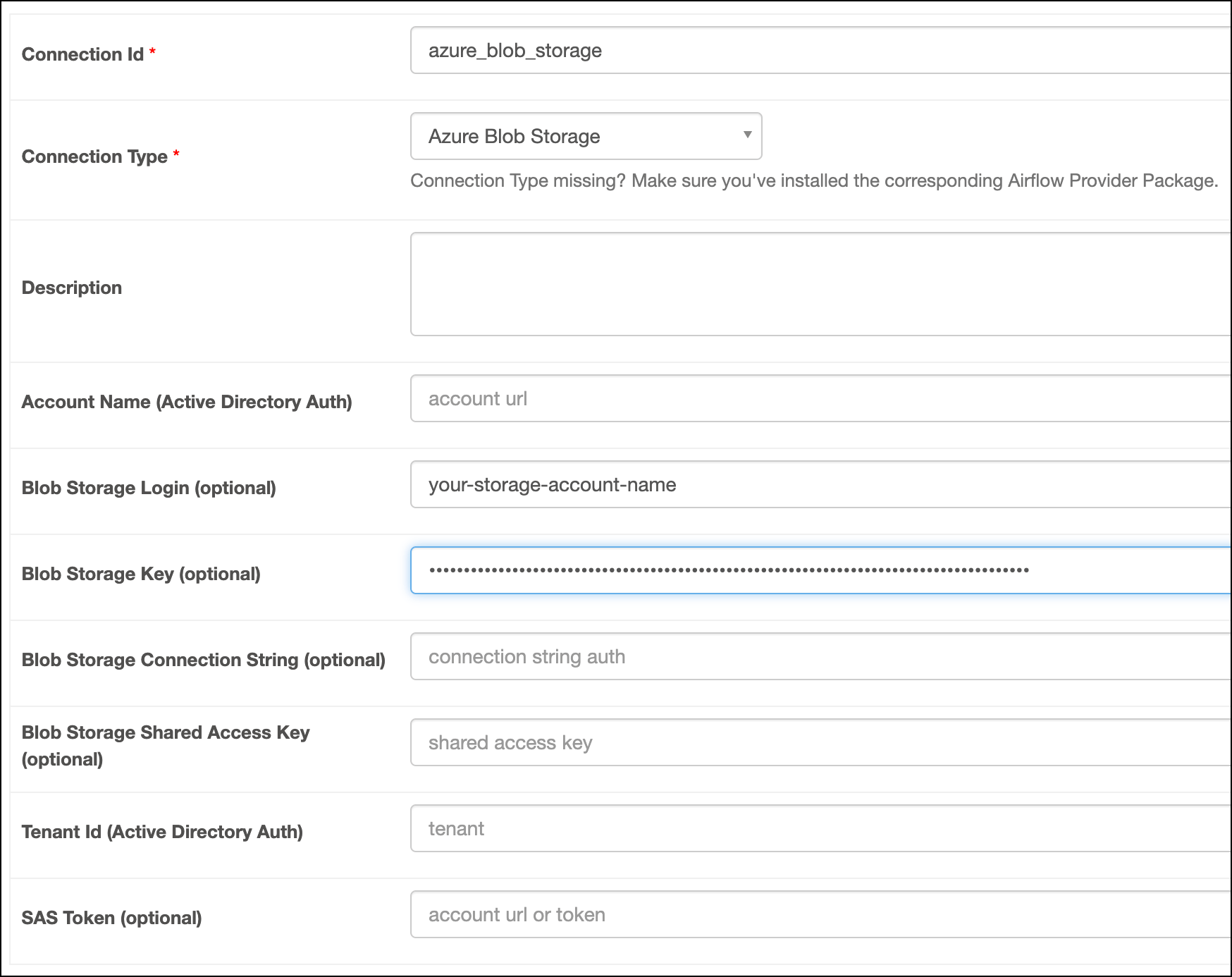
Fill out the following connection fields using the information you retrieved from Get connection details:
- Connection Id: Enter a name for the connection.
- Blob Storage Login: Enter your storage account name.
- Blob Storage Key: Enter your storage account Key.
-
Click Test. After the connection test succeeds, click Save.
How it works
Airflow uses the Azure SDK for Python to connect to Azure services through theWasbHook.