> ## Documentation Index
> Fetch the complete documentation index at: https://astronomer.io/docs/llms.txt
> Use this file to discover all available pages before exploring further.
# Airflow trigger rules
Trigger rules are used to determine when a task should run in relation to the previous task. By default, Airflow runs a task when all directly upstream tasks are successful. However, you can change this behavior using the `trigger_rule` parameter in the task definition.
Trigger rules define whether a task runs based on its direct upstream dependencies. To learn how to set task dependencies, see the [Manage task and task group dependencies in Airflow](/docs/learn/2.x/managing-dependencies) guide.
## Define a trigger rule
You can override the default trigger rule by setting the `trigger_rule` parameter in the task definition.
```python {8} wrap theme={null}
# from airflow.decorators import task
# from airflow.models.baseoperator import chain
@task
def upstream_task():
return "Hello..."
@task(trigger_rule="all_success")
def downstream_task():
return " World!"
chain(upstream_task(), downstream_task())
```
Traditional
```python {6} wrap theme={null}
# from airflow.operators.empty import EmptyOperator
upstream_task = EmptyOperator(task_id="upstream_task")
downstream_task = EmptyOperator(
task_id="downstream_task",
trigger_rule="all_success"
)
chain(upstream_task, downstream_task)
```
## Available trigger rules in Airflow
The following trigger rules are available:
* `all_success`: (default) The task runs only when all upstream tasks have succeeded.
* `all_failed`: The task runs only when all upstream tasks are in a failed or upstream\_failed state.
* `all_done`: The task runs once all upstream tasks are done with their execution.
* `all_skipped`: The task runs only when all upstream tasks have been skipped.
* `one_failed`: The task runs when at least one upstream task has failed.
* `one_success`: The task runs when at least one upstream task has succeeded.
* `one_done`: The task runs when at least one upstream task has either succeeded or failed.
* `none_failed`: The task runs only when all upstream tasks have succeeded or been skipped.
* `none_failed_min_one_success`: The task runs only when all upstream tasks haven't failed or `upstream_failed`, and at least one upstream task has succeeded.
* `none_skipped`: The task runs only when no upstream task is in a skipped state.
* `always`: The task runs at any time.
There are several advanced Airflow features that influence trigger rules. You can define a DAG in which any task failure stops the DAG execution by setting the [DAG parameter](/docs/learn/2.x/airflow-dag-parameters) `fail_stop` to `True`. This will set all tasks that are still running to `failed` and mark any tasks that haven't run yet as `skipped`. Note that you can't have any trigger rule other than `all_success` in a DAG with `fail_stop` set to `True`.
[Setup and Teardown tasks](/docs/learn/2.x/airflow-setup-teardown) are a special type of task to create and delete resources that also influence trigger rules.
## Branching and trigger rules
One common scenario where you might need to implement trigger rules is if your DAG contains conditional logic such as [branching](/docs/learn/2.x/airflow-branch-operator). In these cases, `one_success` or `none_failed` are likely more helpful than `all_success`, because unless all branches are run, at least one upstream task will always be in a `skipped` state.
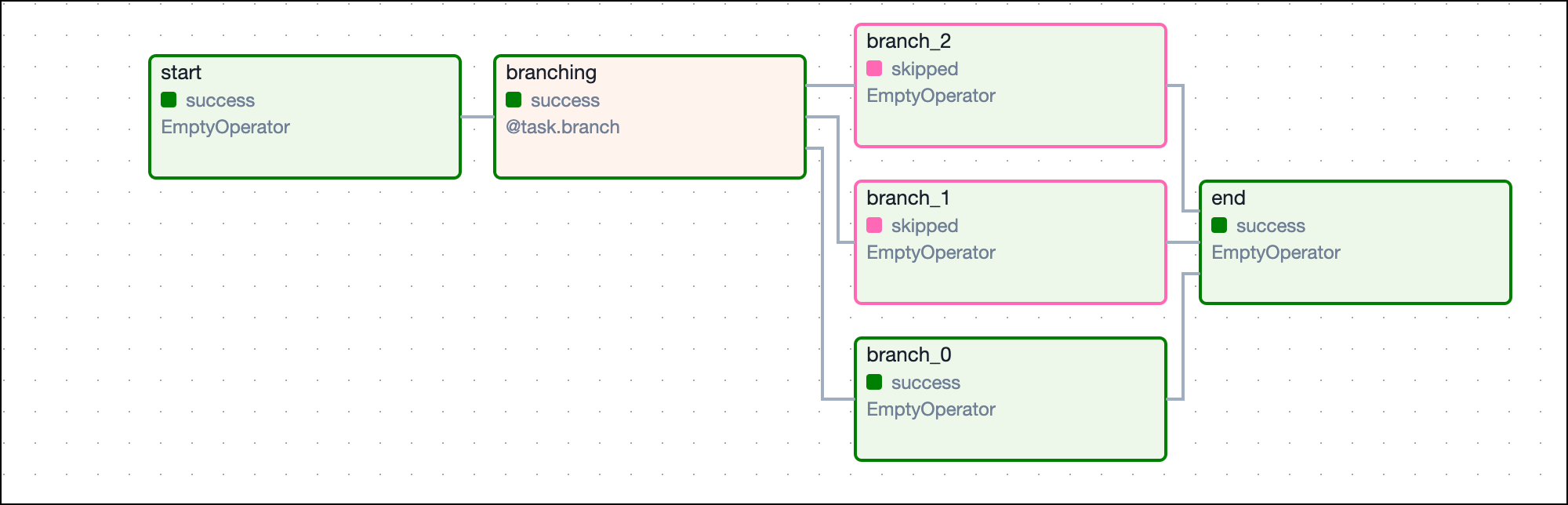
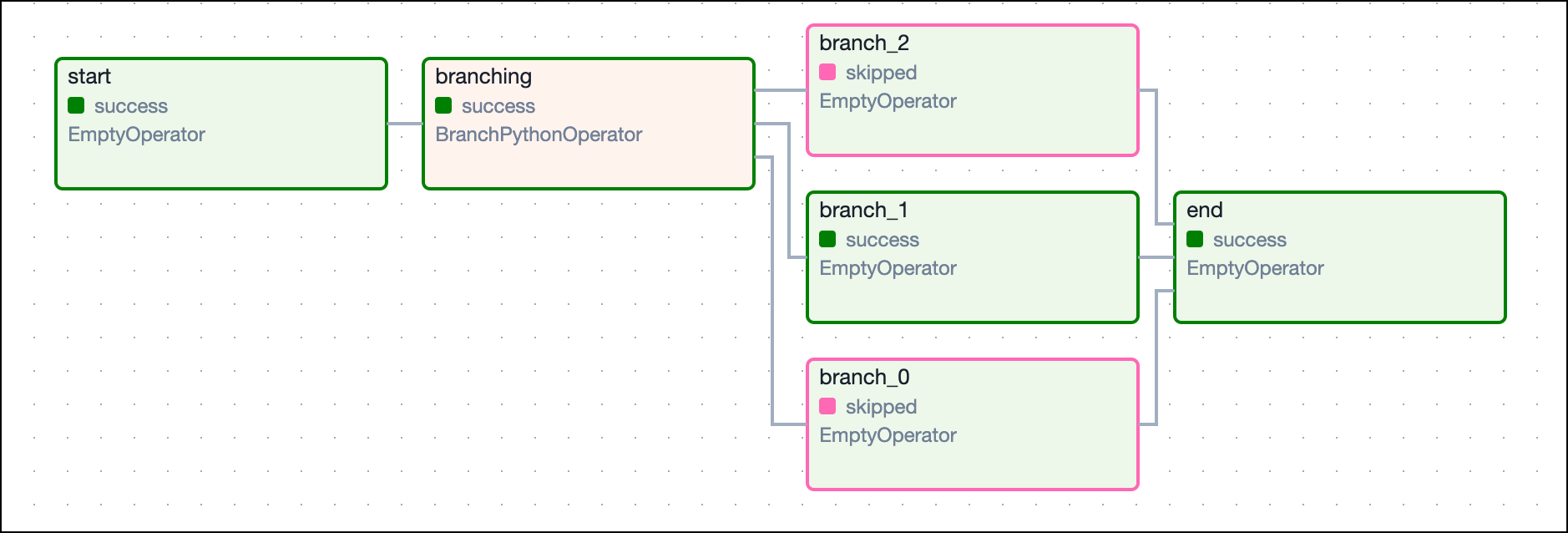
In the following example DAG there is a simple branch with a downstream task that needs to run if either of the branches are followed. With the `all_success` rule, the `end` task never runs because all but one of the `branch` tasks is always ignored and therefore doesn't have a success state. If you change the trigger rule to `one_success`, then the `end` task can run so long as one of the branches successfully completes.
```python wrap theme={null}
import random
from airflow.decorators import dag, task
from airflow.operators.empty import EmptyOperator
from datetime import datetime
from airflow.utils.trigger_rule import TriggerRule
@dag(start_date=datetime(2021, 1, 1), max_active_runs=1, schedule=None, catchup=False)
def branching_dag():
# EmptyOperators to start and end the DAG
start = EmptyOperator(task_id="start")
end = EmptyOperator(task_id="end", trigger_rule=TriggerRule.ONE_SUCCESS)
# Branching task
@task.branch
def branching(**kwargs):
branches = ["branch_0", "branch_1", "branch_2"]
return random.choice(branches)
branching_task = branching()
start >> branching_task
# set dependencies
for i in range(0, 3):
d = EmptyOperator(task_id="branch_{0}".format(i))
branching_task >> d >> end
branching_dag()
```
This image shows the resulting DAG:
Traditional
```python expandable wrap theme={null}
import random
from airflow import DAG
from airflow.operators.empty import EmptyOperator
from airflow.operators.python import BranchPythonOperator
from datetime import datetime
from airflow.utils.trigger_rule import TriggerRule
def return_branch(**kwargs):
branches = ["branch_0", "branch_1", "branch_2"]
return random.choice(branches)
with DAG(
dag_id="branching_dag",
start_date=datetime(2021, 1, 1),
max_active_runs=1,
schedule=None,
catchup=False,
):
# EmptyOperators to start and end the DAG
start = EmptyOperator(task_id="start")
end = EmptyOperator(task_id="end", trigger_rule=TriggerRule.ONE_SUCCESS)
# Branching task
branching = BranchPythonOperator(
task_id="branching", python_callable=return_branch, provide_context=True
)
start >> branching
# set dependencies
for i in range(0, 3):
d = EmptyOperator(task_id="branch_{0}".format(i))
branching >> d >> end
```
This image shows the resulting DAG: