> ## Documentation Index
> Fetch the complete documentation index at: https://astronomer.io/docs/llms.txt
> Use this file to discover all available pages before exploring further.
# Deployment metrics
In Astro Private Cloud versions before 1.0, Deployment-level metrics such as CPU usage, memory usage, and network I/O were available by default through built-in node exporter and cAdvisor integrations. These were [removed in APC 1.0](/docs/astro-private-cloud/v-2-x/breaking-changes-removals#prometheus-blackbox-exporter-removed-0-37-x-→-2-0-only) to reduce Prometheus data volume and improve performance.
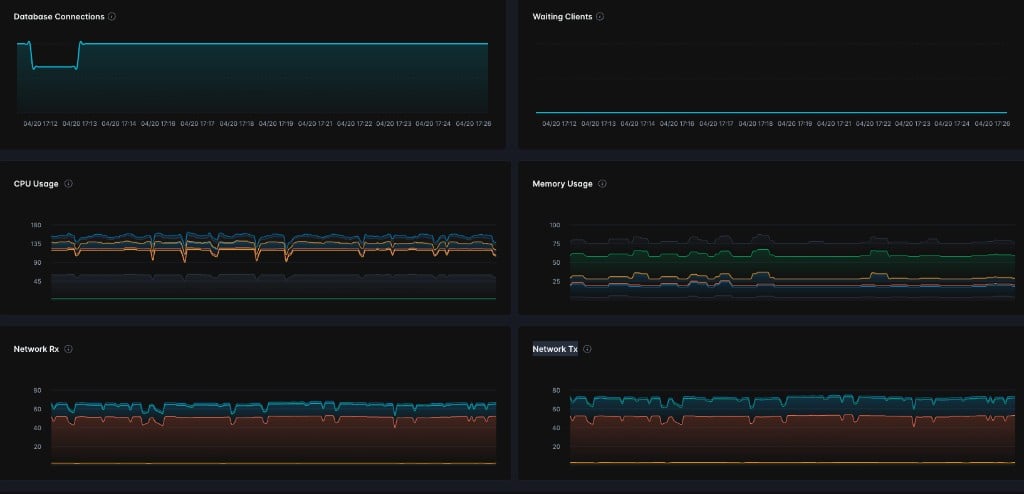
Starting with APC 2.0, you can re-enable these metrics with two Helm flags. After you enable them, four additional panels appear in the **Metrics** tab for each Deployment in the Astro Private Cloud UI:
* **CPU Usage**: Percentage of CPU consumed by the Deployment's containers.
* **Memory Usage**: Percentage of memory consumed by the Deployment's containers.
* **Network Rx**: Inbound network traffic received by the Deployment's Pods.
* **Network Tx**: Outbound network traffic transmitted by the Deployment's Pods.
 Both features are disabled by default.
## Prerequisites
* Astro Private Cloud 2.0 or later with Helm chart version 2.0.0 or later.
* System Admin access to update the Astro Private Cloud Helm configuration.
### Enable Deployment metrics
Add the following values to your `values.yaml` file:
```yaml focus={2-3,5-6} wrap theme={null}
global:
nodeExporter:
enabled: true
cadvisor:
enabled: true
```
Run a Helm upgrade to apply the changes:
```bash wrap theme={null}
helm upgrade -f values.yaml -n astronomer astronomer/astronomer
```
Open the Astro Private Cloud UI, navigate to a Deployment, and click the **Metrics** tab. The CPU Usage, Memory Usage, Network Rx, and Network Tx panels appear alongside the existing Database Connections and Waiting Clients panels.
Both features are disabled by default.
## Prerequisites
* Astro Private Cloud 2.0 or later with Helm chart version 2.0.0 or later.
* System Admin access to update the Astro Private Cloud Helm configuration.
### Enable Deployment metrics
Add the following values to your `values.yaml` file:
```yaml focus={2-3,5-6} wrap theme={null}
global:
nodeExporter:
enabled: true
cadvisor:
enabled: true
```
Run a Helm upgrade to apply the changes:
```bash wrap theme={null}
helm upgrade -f values.yaml -n astronomer astronomer/astronomer
```
Open the Astro Private Cloud UI, navigate to a Deployment, and click the **Metrics** tab. The CPU Usage, Memory Usage, Network Rx, and Network Tx panels appear alongside the existing Database Connections and Waiting Clients panels.